What Is Delivery Management Software? A Complete Guide
When a company grows and starts doing deliveries the business can feel very chaotic even with just a few delivery tasks. A spreadsheet and a chat group can help with a number of deliveries.. When hundreds of orders are sent out tracking hundreds of drivers, customer addresses, daily stops, delivery status and any failed deliveries becomes hard to manage.
Delivery management software is the key to solving this problem.
Delivery management software lets a business put order delivery, driver assignments, route planning, tracking, customer notifications and proof of delivery into one system.
For example if an online store sends out one hundred deliveries in one day a person must know which driver will get which order. That person must then set up the efficient route for the day to shorten driving time. The necessary delivery information must be sent to the drivers. Finally the drivers must stay informed about their delivery progress until the final proof of delivery is received. If these steps are not well organized more effort is. The chance of human error rises. Delivery management system keeps all of this information together in a place that is easy to reach.
What is a delivery management system?
Delivery management system is a software program that helps a company keep track of every delivery after it has been sent out. From creating orders and planning a delivery route to knowing where drivers are and sending notifications all order information can live in one system. Delivery management system joins all functions such as order handling, driver handling, route planning GPS tracking, customer notifications, proof of delivery and reporting into one interface. That way business and fleet operations stay in one place.
How does it really work?
Each delivery management software is a bit different in its features. But the whole process is the same:
### Orders are received
All new orders first go into delivery management system.. The platform can receive order data from other business software such as ecommerce, CRM, ERP or API based systems. The customer details, addresses and order details are saved in the system so that drivers, dispatch teams and operations teams always have the information.
### Drivers are assigned tasks
The most important step is dispatching drivers. Drivers can get tasks in two ways: by dispatch and operations staff or automatically based on data such, as driver location, availability, current task load, vehicle type and task urgency.
You would use automated dispatches when you are handling orders at the same time.
### Routes are planned
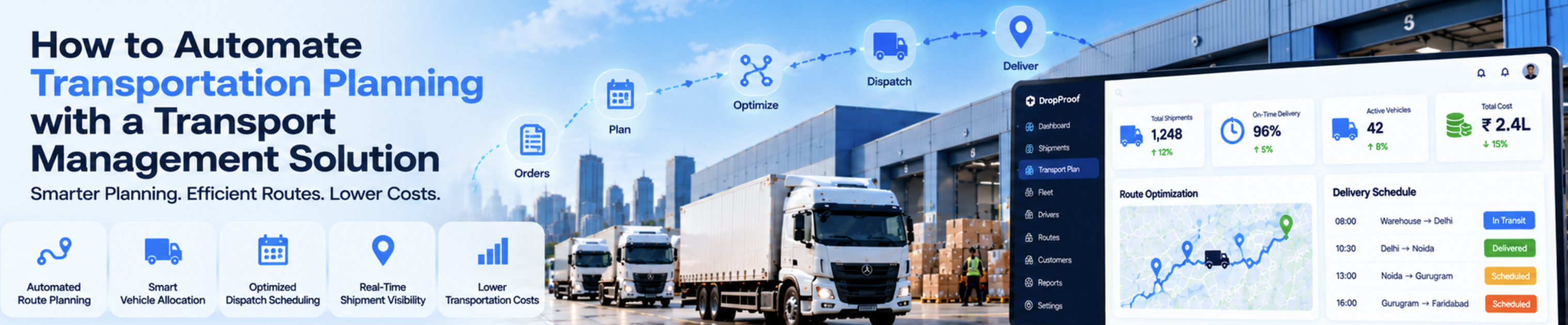
Among all the benefits of a delivery management system route planning might be the important. Route optimization shortens the time needed to make stops uses fuel reduces costs and lets more deliveries finish in one day. Than making drivers find a separate route for each trip with many stops the delivery management system creates the best order of stops using real‑time data.
### Drivers are provided with delivery data
After the delivery management system picks the route it also gathers delivery details such as customer information order data, special instructions and any customer requests. All of this is put together in the driver application that the driver can use at their fingertips.
### Everyone gets to follow the process in time
While drivers follow their assigned routes and deliver orders, dispatch and operations managers can watch them closely through the central system. Each delivery moves through statuses, such as "on its way " "picking up the package " "arriving at the customer location " "completed," and so on. Every step is updated if it fails or is rescheduled. Live GPS tracking lets managers see the vehicles on a map.
### Customers can be alerted on their delivery process
Customers always want to know where their order is. Automated alerts from the delivery management system send notifications that tell them at moments like when the driver leaves the office or when the delivery is near the customer’s location.
### Proof of Delivery gets captured
When the customer receives the order the driver can capture proof of delivery in a ways: taking a photo getting a signature or confirming with an OTP or GPS stamp. This creates a record so the driver does not need to call or use paper copies.
What to look for in a delivery management system?
Not every organization needs features. Still a typical comprehensive delivery management system should include:
* Route optimization & planning
* Real time tracking of drivers & vehicles
* Order & Driver management
* automated customer updates
* Digital proof of delivery
* Delivery analysis & reporting
* Integration with all business software utilized at the moment.
A long feature list may look impressive. The important thing is how each feature brings real benefits.
What advantages can the usage of these systems bring?
Essentially a delivery management system improves efficiency by cutting work and improving communication. With one platform you track drivers’ movements. Manage calls and chat groups more efficiently. Better routes lower fuel costs. Reduce idle time and clearer tracking makes customers feel safer. Repeated use of the system gathers data that reveals patterns, such as routes that take too long bottlenecks in the operation and how each worker performs.
Who utilizes a delivery management system?
A delivery management system helps types of businesses. It can benefit logistics companies that handle thousands of routes each day eCommerce sites, local stores that deliver locally or on the same day restaurants with many food deliveries fleet companies that move large volumes daily and even private services like pharmacies delivering medicines or wholesalers sending stock to retail stores. All of these can improve their operations with routing.
Choosing the delivery management system.
When looking for a solution that meets your needs first think about your business’s requirements and how well your employees and drivers will adapt to the new delivery management system.
Ask yourself: Does it make drivers’ lives easier? Does it handle a volume of deliveries reliably? Does it optimize drivers’ routes effectively? Is it well integrated with the business software you use? Is the cost within your budget and future growth plans? A good delivery management system fits smoothly into your operations and does not add extra headaches.
What is it I should conclude?
In short a delivery management system does more than simply track drivers. It links every part of the operation from the moment an order is ready to the moment it arrives at the stop. For businesses that are overwhelmed by spreadsheets, phone calls and separate chat rooms putting orders, drivers, routes, delivery stages, customer notices and proof of delivery, on one platform really simplifies life.
Today because customers want cheap deliveries having clear visibility into operations is no longer a luxury—it is a requirement.
If your business is having trouble managing deliveries and needs help streamlining the operation then Drop Proof might be useful.