What Should You Look For In Delivery Management Software?
Delivery management software gives the company an advantage of their delivery operations. When you first have only few deliveries to make it is possible to use excel sheet to track it but after some point, it will not work anymore, so the company should then consider buying a delivery management software that will include the orders, drivers, routes, delivery tracking, customer communication, proof of delivery and analytics.
The most features are not what makes a great delivery management software. The proper delivery management software should be the one that addresses the delivery management needs of the business and makes the company obtain the delivering process easier, cheaper and less error-prone, easier to control, make visibility better and make the overall customer experience better.
What is Delivery Management Software?
What is delivery management software? Delivery management software is a delivery management solution that enables organizations to optimize, plan, coordinate, deliver and monitor their delivery activities. By using delivery management software, organizations can centralize and automate their delivery process instead of various delivery management tools for each operation.
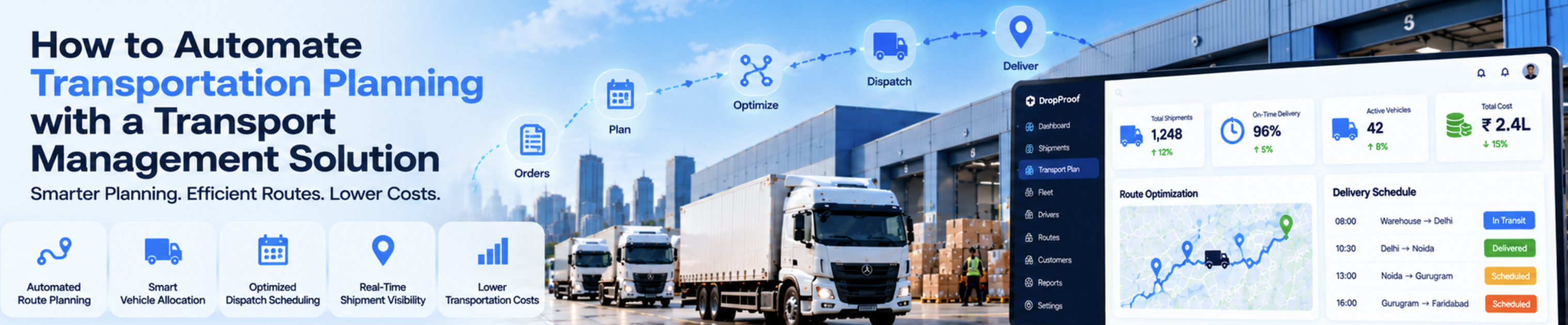
A combined delivery management Software workflow would probably be like this:
Order Dispatch Driver Route Delivery Confirmation Analytics
Designed for digitized, integrated delivery operations, the delivery management software puts 100% of the power of delivery management into the hands of the company.
15 Characteristics to Search for in Delivery Management Applications
### 1. Order Management
The software should include an easy to use order management system for easily creating, importing, updating and tracking orders. The order management system should contain customer details such as name, contact number, delivery address, delivery date/time, order priority and any special instructions.
Furthermore, the order management system should be flexible enough for the company to be able to update particular order details when necessary. When using the appropriate order management system, delivery information will be accessible to appropriate business units and all the information will be stored in one place. This avoids manual recording of information and potential for human error.
### 2. Driver Management
And the delivery management software must have a driver management system that holds all the driver's related data such as driver availability, driver assignments, driver working hours, vehicles, delivery performance and other driver-related data. With a good driver management system, the companies will be able to manage the daily operations of the drivers easily and optimize their efficiency.
### 3. Route Optimization
Route Optimization for Cost Saving & Fast Delivery management software allows companies to optimize their routes based on various parameters including stops, delivery windows, driver working hours, priority of delivery orders, the type of vehicles used, and more.
Unlike the manual method of route planning, appropriate delivery management software is able to determine the best route for delivery automatically using the data available in the system.
The most effective route optimization function must also be capable of reassignment of orders when new orders and other eventualities happen. As a result, dispatchers should be able to alter the supply schedule without having to delve into particulars.
### 4. Dispatch Management
What Should I Look for in Delivery Management Software? Dispatch Management The dispatch management feature allows dispatchers to assign orders to drivers, schedule routes, monitor delivery progress, and reroute when necessary.
An effective dispatch management dashboard can put complete control of all the orders in the hands of the dispatchers and managers. This includes the orders that are yet to be assigned, the late deliveries, and anything else.
### 5. Real-Time Tracking
Delivery Management Software The delivery management software enables companies to have full control over the delivery process, because it offers real-time information about the delivery status. Firstly, the managers can easily track down the exact location of the drivers any time they want to. Moreover, the company is able to inform the customers about their delivery status in real time.
This eliminates the question form customers on when their deliveries will arrive as the customer gets the updating on the deliveries.
### 6. Customer Notifications
Most delivery management software also has a feature of a customer notification system which the company can utilize to inform the customers either through SMS/email or the communication channel that the customer prefers. For example, the company can use delivery management software to send the delivery confirmation messages to the customers when the order has been picked up or when it is delivered.
It also limits the customers' requests for clarifications about delivering.
### 7. Proof of Delivery
Delivery Management Software stores proof of delivery to verify that you are really delivering the products to your customers. You can choose from a variety of proof of delivery options according to your type of business, delivery management software can provide either – e-signature, delivery photo, delivery note, timestamp, or any other option.
Confirmation of Delivery Confirmation of delivery allows the company to record the delivery information electronically should any disagreements occur.
### 8. Driver Mobile App
Almost all delivery management software has a mobile app for drivers to enter the delivery management system.
The driver mobile app should provide the drivers the information they need to make the deliveries and then it should also enable the drivers to update the delivery statuses, communicate with the customers and take proof of delivery.
All delivery management software needs a good mobile app because it is the driver who will deliver the goods to the customers, after all. Hence, an app that is quick and simple to use and requires no many steps will decrease the time taken by the drivers to update the status of delivery, resulting in data accuracy.
### 9. Delivery Status Management
The delivery management software must have the feature of delivery status management so that the company is able to keep a track of the deliveries. Few of the delivery status that the company can keep a track of are pending, assigned, in transit, delivered, failed, cancelled, rescheduled and so on.
The delivery management software has the feature to raise updates to the Drivers, customers, managers, and other responsible persons about the status of the delivery. Which means that all the stakeholders know the updated delivery information.
Concluding Thoughts Delivery management software is not just a piece of software for monitoring the drivers. This is a system that allows firms to have all their delivery management functions in a single platform, including order tracking, drivers, analytics, and reporting. As companies evaluate and acquire delivery management software, the key thing to bear in mind is the features that will enable them to excel in their delivery operations and as such, the delivery management software should include; Order management, Driver Management, Route Optimization, Dispatch Management, Real-time tracking, Customer notifications, Proof of Delivery, Analytics and reporting, Integrations, Scales, Ease of use. The best delivery management software helps business to digitize their operations, delete manual work, reduce errors and enhance the delivery process overall.