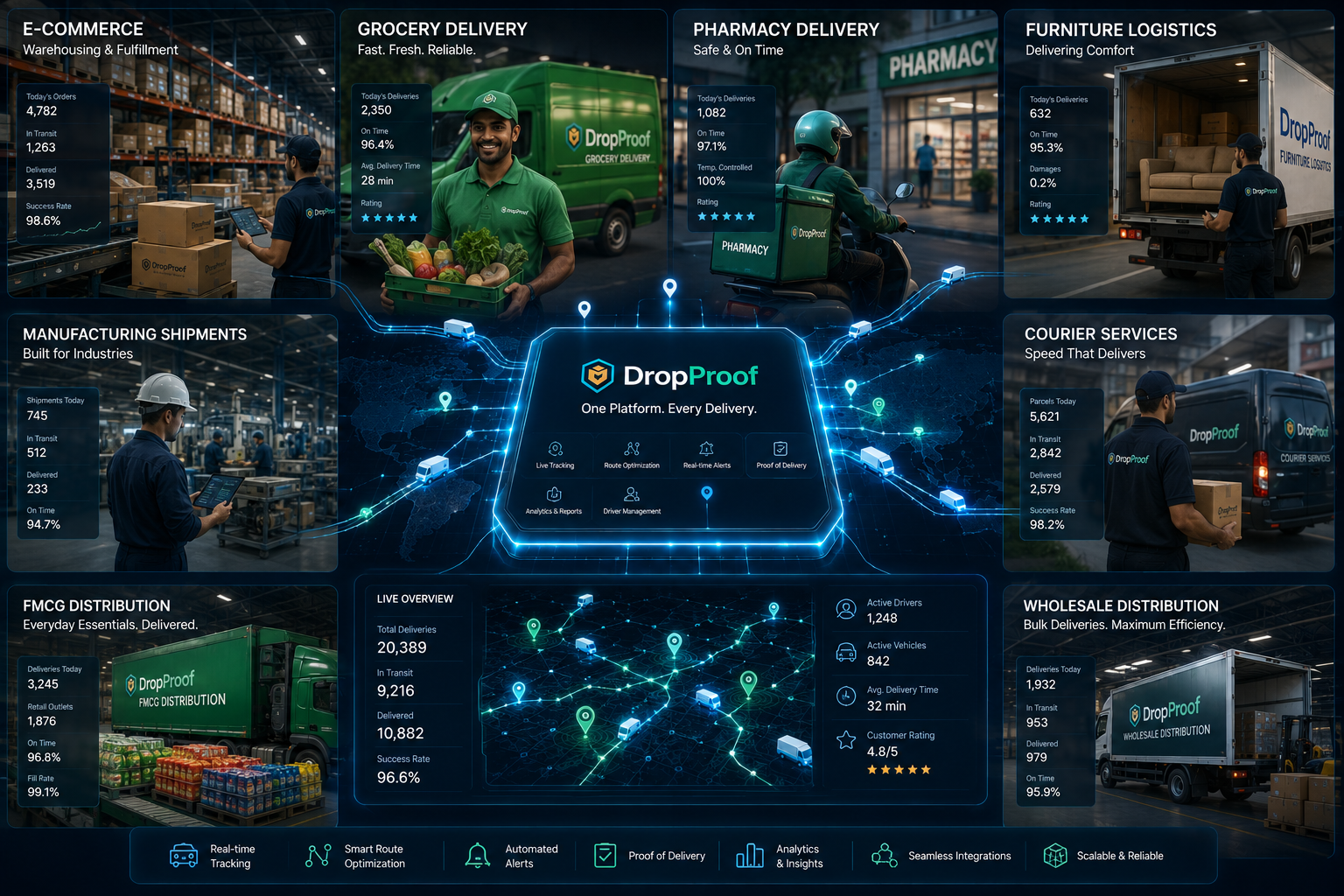
Order Management
Manage manufacturing delivery orders from intake through completion.
Manufacturing delivery operations
Connect manufacturing orders with dispatch, drivers, routes, tracking, and delivery confirmation from one connected logistics platform.

The production-to-delivery handoff
Manufacturing does not end when a product leaves the production floor. Finished goods, components, equipment, and other shipments still need to be planned, dispatched, executed, tracked, and confirmed. DropProof provides focused logistics management software for that delivery operation, not production planning.
Connected manufacturing delivery
Bring delivery orders, dispatch, drivers, route planning, tracking, confirmation, and reporting into one operational workflow.
Manage manufacturing delivery orders from intake through completion.
Support delivery, pickup, return, exchange, and other configured workflows.
Update multiple orders, assignments, dates, priorities, and delivery windows.
Assign and coordinate delivery work across your operation.
Manage drivers and their assigned delivery activity.
Plan routes around delivery locations, schedules, and operational requirements.
Give drivers access to their assigned delivery work.
Monitor active drivers and delivery progress using available location data.
Monitor expected arrival information as deliveries progress.
Record completed deliveries through the connected driver workflow.
Capture supported photos, signatures, OTP verification, and delivery records.
Review driver statistics, trip summaries, delivery outcomes, and historical data.
Connect order execution with delivery management and order and shipping management capabilities.
Manufacturing delivery workflow
Bring delivery orders into DropProof through available workflows and integrations.
Review destinations, priorities, schedules, and delivery requirements.
Coordinate delivery windows and operational requirements.
Create delivery routes around locations and supported constraints.
Assign delivery work to drivers.
Drivers access assigned deliveries through the mobile experience.
Monitor drivers, routes, delivery status, and ETA information.
Record completion and supported proof of delivery.
Manufacturing delivery orders
Keep delivery orders, assignments, dates, priorities, windows, and current status connected as logistics activity progresses. DropProof does not manage production orders, bills of materials, procurement, inventory, or manufacturing planning.
Manage manufacturing delivery orders through one operational workflow.
Support delivery, pickup, return, exchange, and other configured workflows.
Make changes across multiple delivery orders efficiently.
Organize delivery work according to operational requirements.
Coordinate deliveries around customer schedules and operating hours.
Keep delivery information synchronized as operations progress.
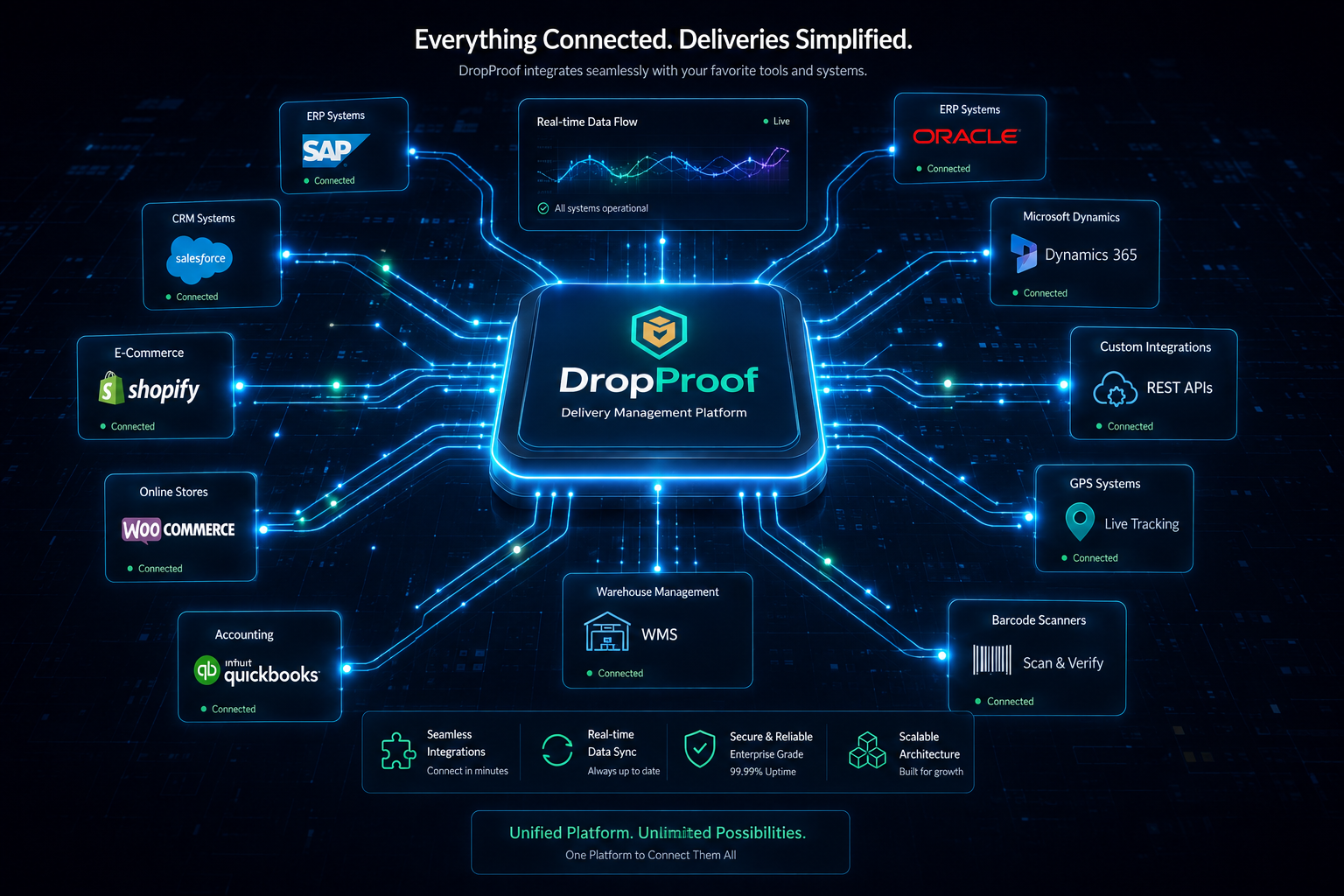
Factory and distribution delivery
Coordinate transportation and delivery execution for factory-to-customer, factory-to-distributor, regional, multi-location, commercial-customer, scheduled, local, and regional delivery workflows.
DropProof supports transportation execution and last-mile delivery, not manufacturing or warehouse control.
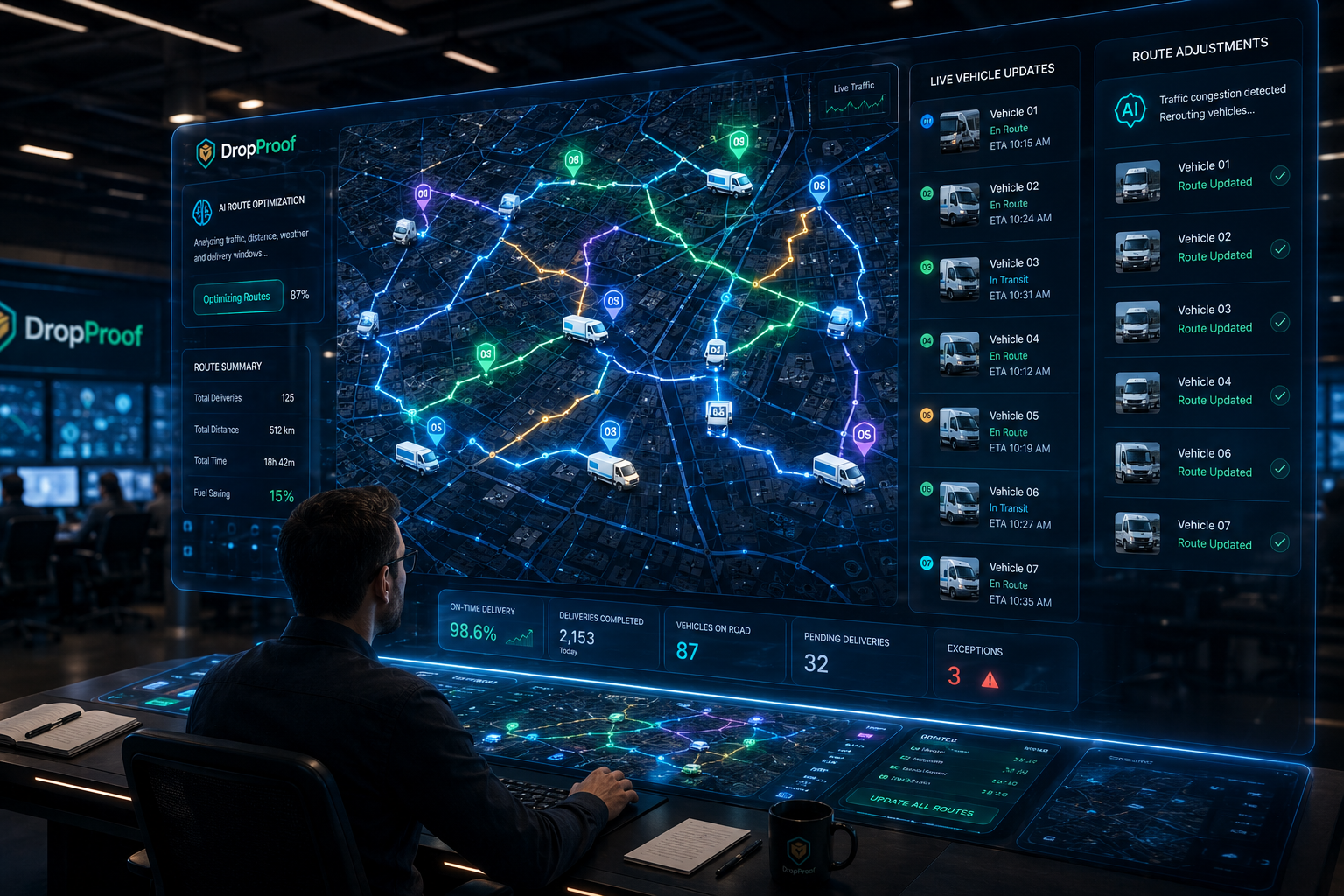
Manufacturing route planning
Plan routes around multiple stops, customer delivery windows, driver availability, operating hours, priorities, geographic distribution, stop sequencing, and supported constraints without making unverified savings claims.
Dispatch and drivers
Move delivery work from manufacturing logistics teams to drivers while keeping assignments, route context, and status connected.
Assign manufacturing delivery work to drivers.
Give drivers access to assigned deliveries.
Support navigation to delivery destinations.
Keep progress visible to operations teams.
Adjust assignments and delivery information when requirements change.
Allow drivers to record completed deliveries.
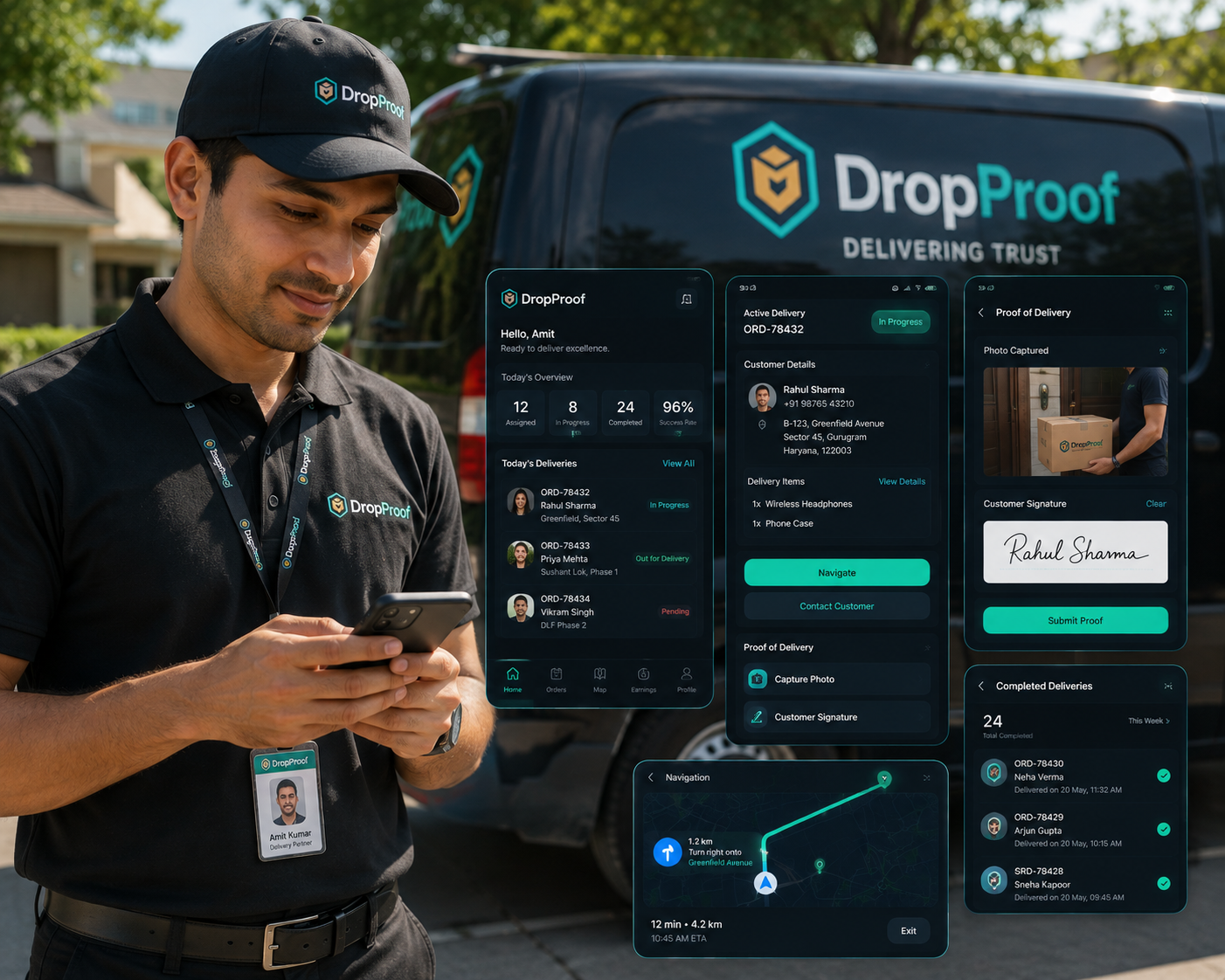
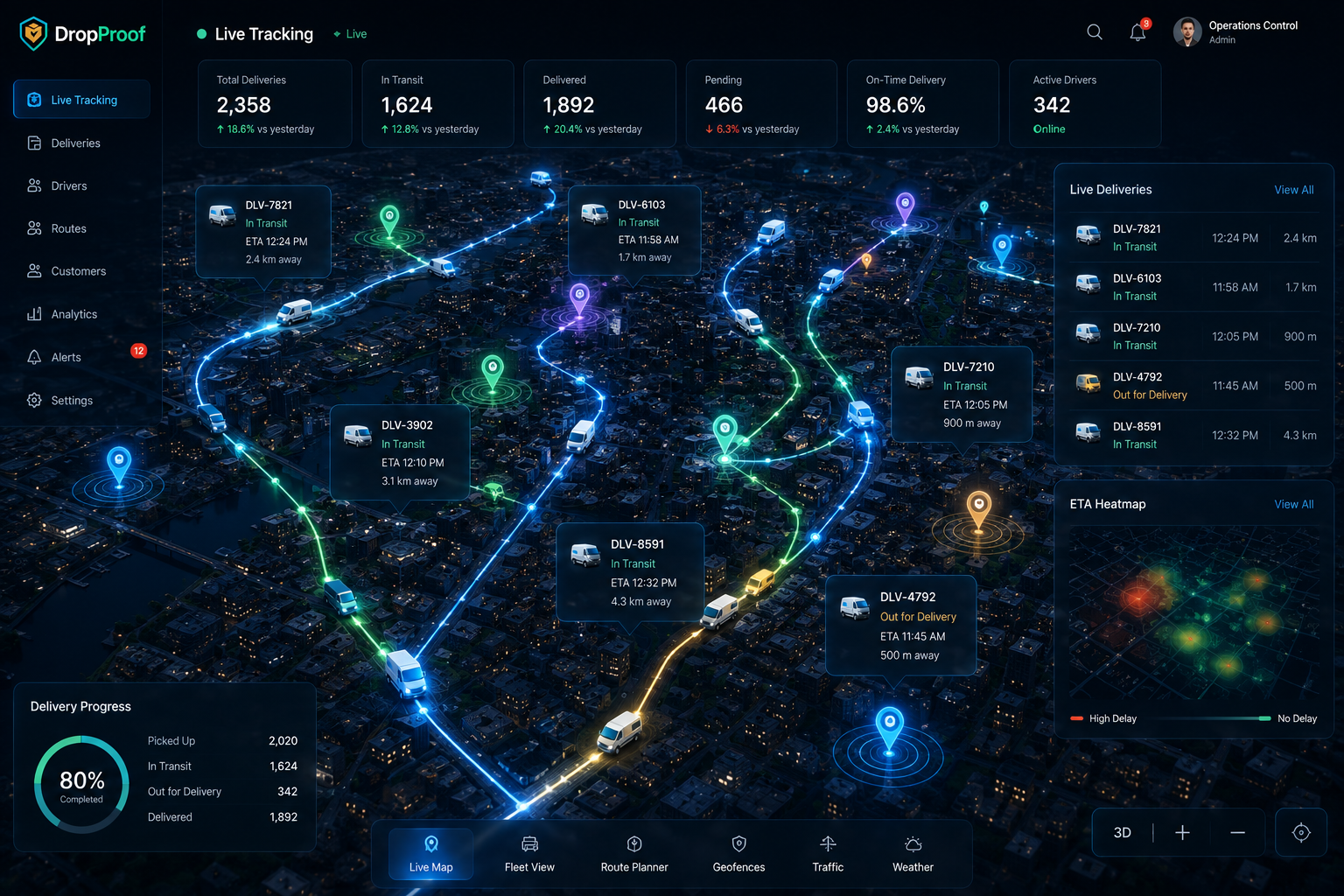
Live delivery visibility
Give manufacturing logistics teams a live view of their delivery network using available driver and device data.
Monitor active drivers on a live map using available device data.
Understand current delivery progress.
Monitor expected arrival information without treating an ETA as a guarantee.
Understand planned and active delivery routes.
Review stops, distance, travel time, exceptions, and delivery outcomes.
Manufacturing delivery confirmation
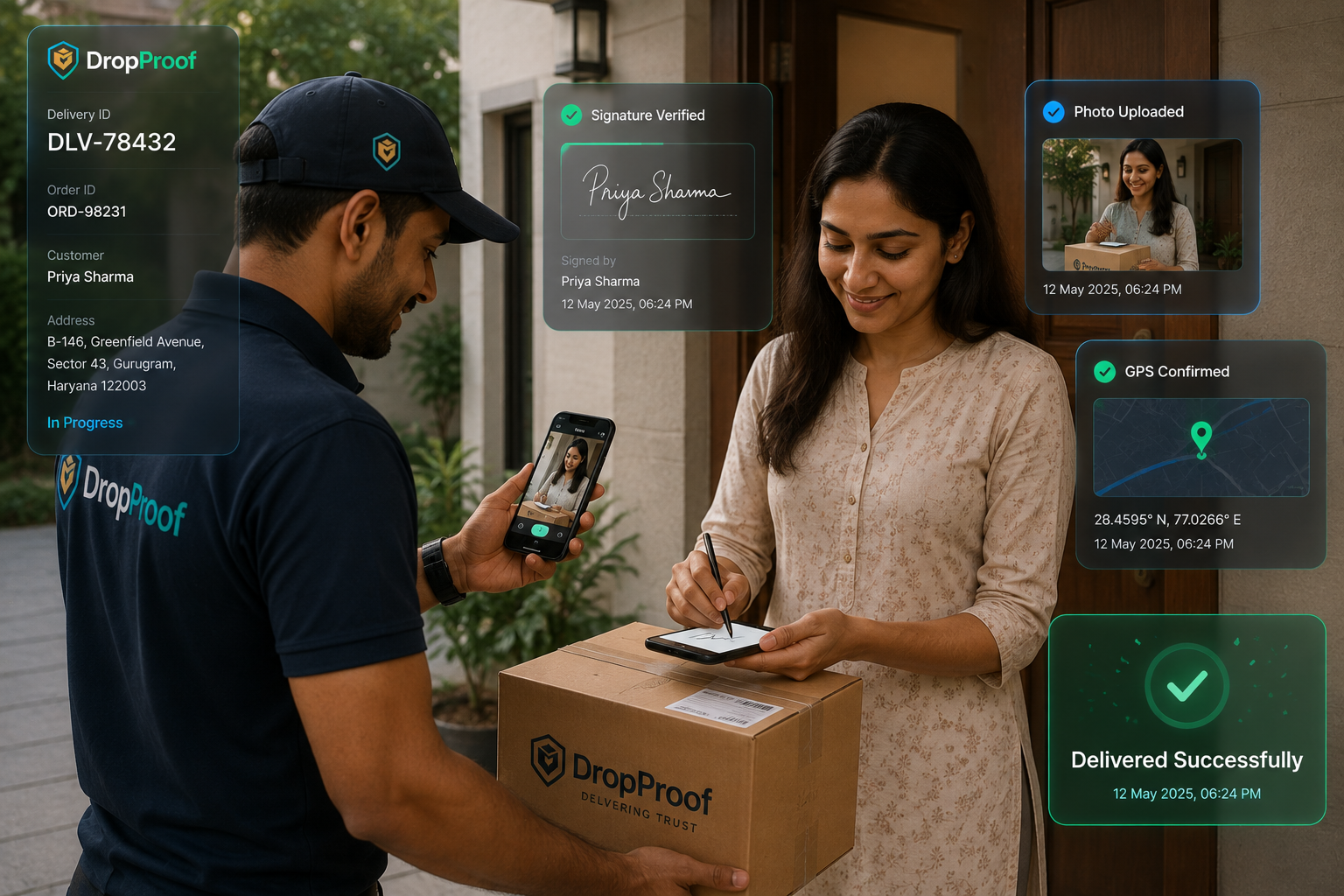
Verify completed deliveries with supported delivery confirmation, customer signatures, photos, OTP verification, timestamp and location information where available, and digital records. These records support operational review without creating automatic legal or compliance guarantees.
Operational flexibility
Respond to driver delays, delivery-window changes, urgent deliveries, reassignments, route changes, priority changes, and delivery exceptions with current operational information.
Operations teams remain responsible for reviewing exceptions and making dispatch decisions; this page does not claim fully autonomous exception management.
Manufacturing delivery analytics
Use current and historical delivery information to review driver performance, identify recurring issues, understand delivery patterns, improve route planning, monitor operational KPIs, and prepare future delivery plans without invented ROI claims.
Review completion, punctuality, distance, and productivity.
Review stops, travel time, distance, exceptions, and delivery outcomes.
Build reports around relevant operational KPIs.
Review previous manufacturing delivery activity.

Manufacturing use cases
Support delivery execution without claiming specialized heavy-haul, freight-brokerage, load-planning, production, or inventory functionality.
Coordinate deliveries directly from manufacturing facilities to customers.
Manage delivery operations to distributors and regional locations.
Coordinate delivery teams across geographic regions.
Manage delivery activity across multiple manufacturing locations where supported.
Coordinate operationally important goods when the delivery workflow fits DropProof capabilities.
Manage deliveries around customer delivery windows and operational schedules.
Multi-location manufacturing logistics
Organize delivery activity across configured teams, depots, branches, regions, and manufacturing locations. User management, roles and permissions, and centralized visibility help locations work within a shared delivery operation.
Manufacturing integrations
Connect supported ERP, WMS, CRM, ecommerce, accounting, communication, and operational workflows through APIs, events, available integrations, and specialized data flows. Connect your existing systems with the delivery operation; DropProof does not replace ERP, MRP, MES, WMS, or inventory software.
Explore IntegrationsConnect external applications with DropProof.
Receive supported delivery and operational events.
Connect relevant supported business systems.
Support specialized data flows where available.
Why DropProof for manufacturing
Keep delivery planning, dispatch, routes, drivers, tracking, confirmation, and reporting connected instead of managing each stage separately.
Connect manufacturing delivery orders with execution.
See active delivery work.
Connect drivers with assigned delivery work.
Understand planned and active delivery routes.
Monitor delivery progress and ETAs.
Capture supported proof of delivery.
Review driver, trip, and delivery performance.
Common questions
Manufacturing logistics software helps manufacturers coordinate transportation and delivery operations from delivery-order intake through dispatch, routing, driver execution, tracking, confirmation, and reporting.
It can connect delivery order management, dispatch, route planning, drivers, live delivery visibility, proof of delivery, and operational reporting without replacing production systems.
Yes. DropProof can manage configured manufacturing delivery orders, assignments, schedules, routes, driver activity, current delivery status, and completion records.
Yes. Teams can organize factory-to-customer delivery orders, assign drivers, plan routes, monitor progress, and record supported proof of delivery.
Yes. DropProof supports route planning around destinations, stop sequences, driver availability, priorities, operating hours, and delivery windows.
Yes. Dispatchers can assign and update delivery work, while drivers access assigned deliveries through the mobile experience.
Yes. DropProof provides live visibility into active drivers, delivery status, route progress, and available ETA information using driver and device data.
Yes. Configured workflows can capture delivery confirmation and supported evidence such as photos, signatures, OTP verification, timestamps, available location information, and digital records.
DropProof supports configured teams, depots, branches, regions, users, roles, permissions, and centralized operational visibility across locations.
DropProof provides REST APIs, webhooks, available external integrations, and custom synchronization for supported data flows. Integration availability depends on the systems and workflow being connected.
No. DropProof focuses on logistics and delivery operations. It is not positioned as a replacement for ERP, MRP, MES, WMS, production-planning, procurement, or inventory-management systems.
Manage manufacturing delivery orders, dispatch, routes, drivers, tracking, proof of delivery, and operational reporting from one connected logistics platform.
We use cookies to improve your browsing experience, understand site traffic, and provide relevant content. You decide which optional cookies we may use.
Your necessary cookies are always active so the website can work properly.