Order Management
Manage delivery orders from creation through completion.
Connected logistics control center
Bring orders, drivers, routes, tracking, delivery execution, proof of delivery, and operational reporting together in one connected logistics management platform.

The operational problem
When order, dispatch, driver, tracking, proof, and reporting data live in different places, every operational change creates manual coordination work.
Connected platform
Keep operational structure, planning, execution, visibility, delivery records, and reporting connected.
Manage delivery orders from creation through completion.
Manage dispatchers, managers, operators, and other users.
Control access to operational information and functionality.
Organize operations by branch, region, team, or depot.
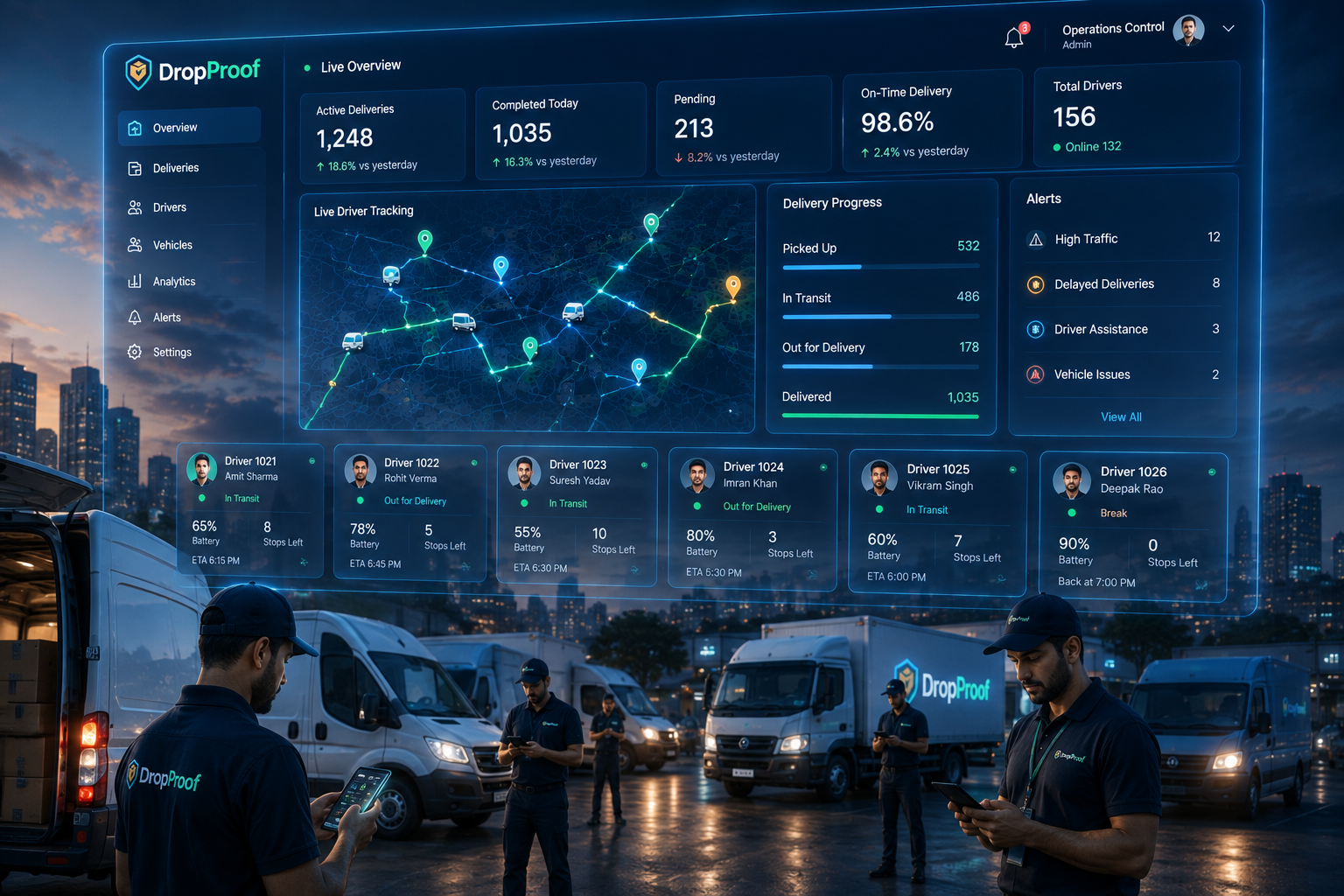
Manage drivers and their delivery activity.
Plan efficient delivery routes around operational requirements.
Monitor active drivers and delivery progress.
Capture supported photos, signatures, and OTP verification.
Review driver statistics, trips, outcomes, and historical data.
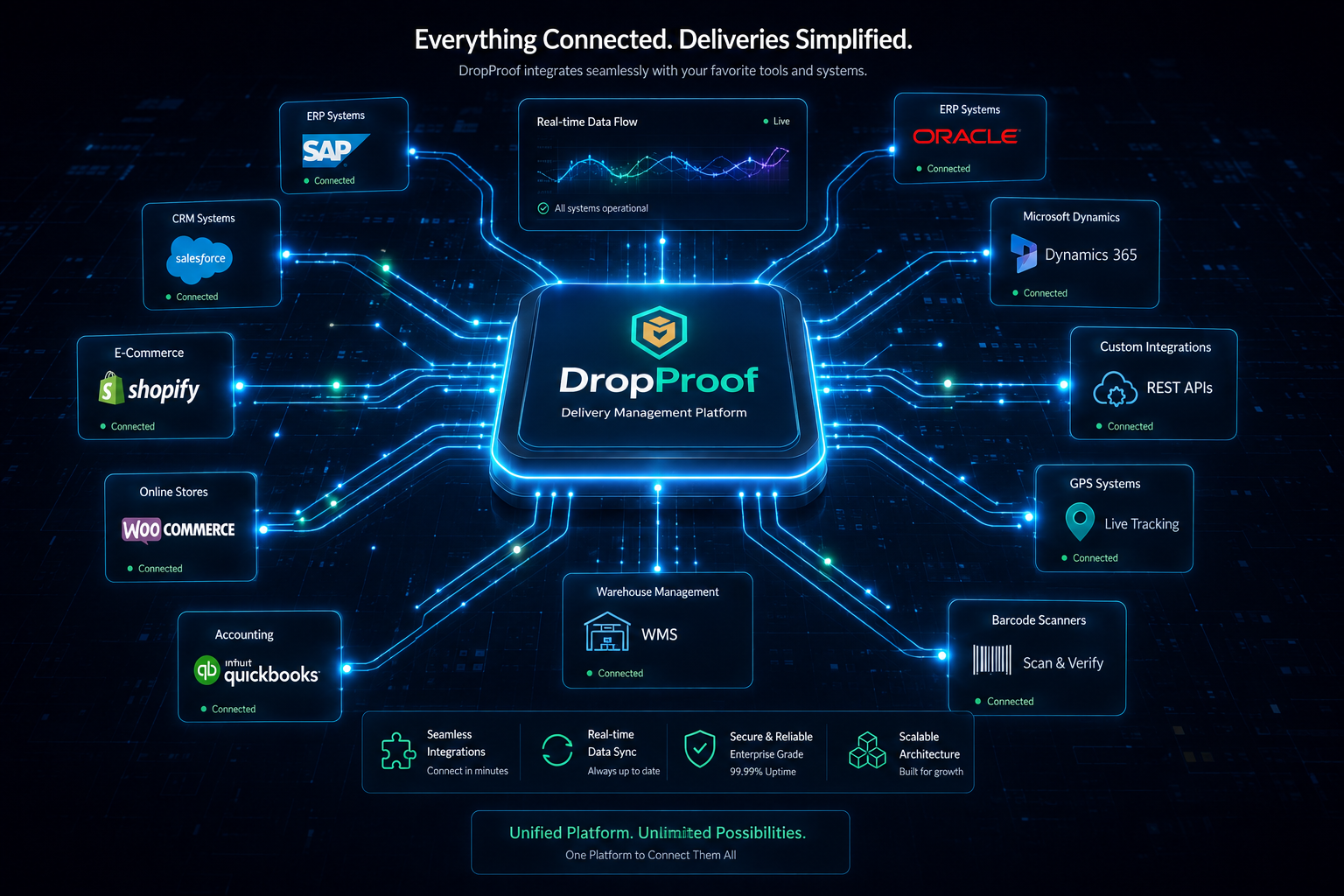
Connect existing systems through APIs, webhooks, and available integrations.
Connected workflow
Bring orders into DropProof through available workflows and integrations.
Review priorities, delivery requirements, and time slots.
Plan routes and assign delivery work to drivers.
Drivers navigate and complete deliveries from mobile.
Monitor drivers, deliveries, and ETAs in real time.
Record delivery confirmation and available proof.
Review trips, driver statistics, outcomes, and history.
Orders → Plan → Dispatch → Deliver → Track → Verify → Analyze
Order and operations management
Centralize order workflows and keep assignments, delivery dates, priorities, windows, configured fields, and current status available to operations teams.
Manage delivery workflows from one centralized system.
Support delivery, pickup, return, exchange, and other configured workflows.
Update orders, assignments, dates, priorities, and delivery windows efficiently.
Keep operational teams working from the latest delivery information.
Support specialized operational fields and records where available.
Driver and delivery management
Driver management, mobile navigation, delivery status, COD, confirmation, and performance remain connected to orders and dispatch instead of becoming a separate driver tool.
Routing and dispatch
Build efficient routes around operational constraints.
Coordinate deliveries around customer windows and operating hours.
Assign delivery work to drivers.
Adjust routes and assignments when priorities change.
Monitor operations while routes are being executed.
Plan → Dispatch → Execute → Adjust
Explore route optimization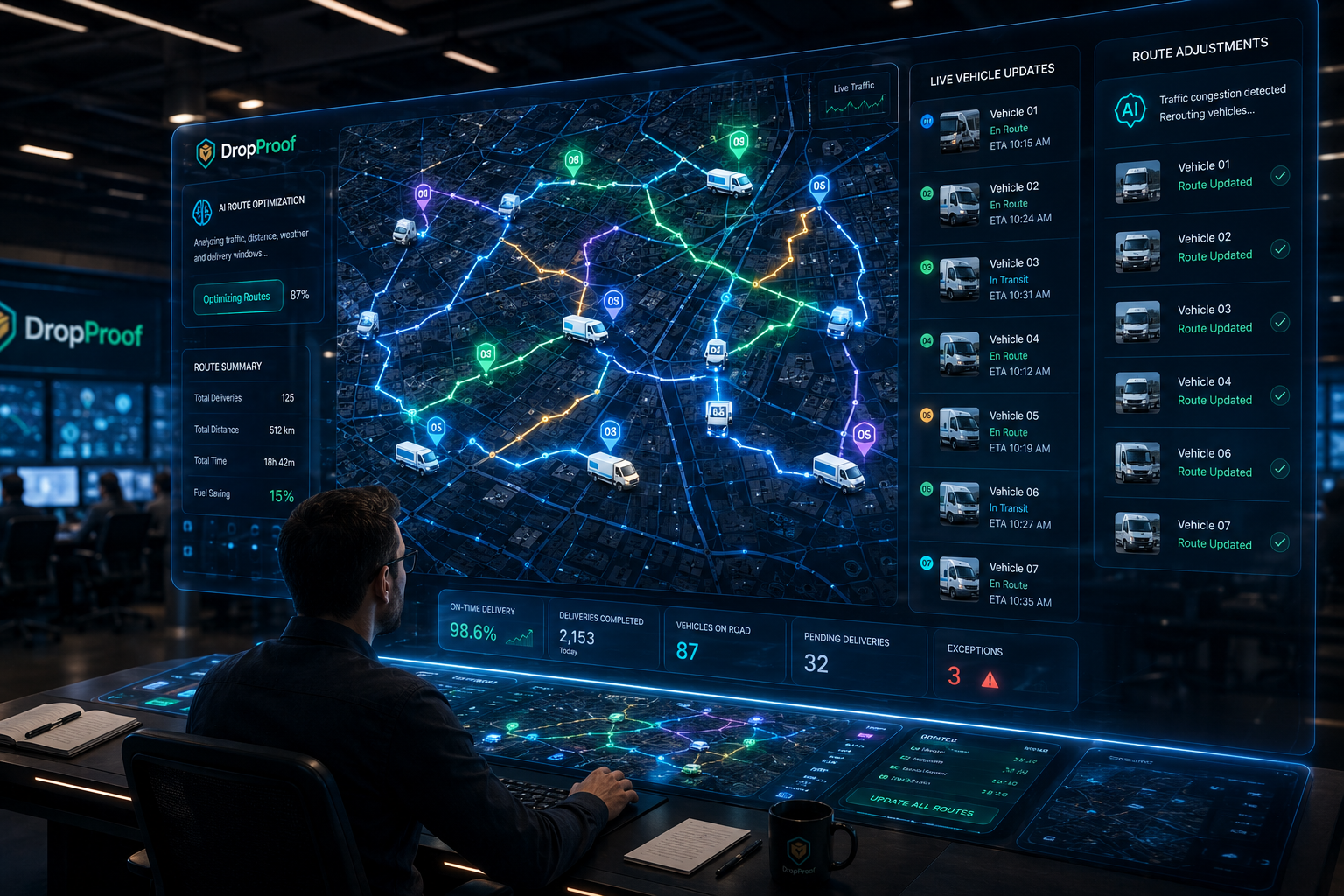
Live logistics visibility
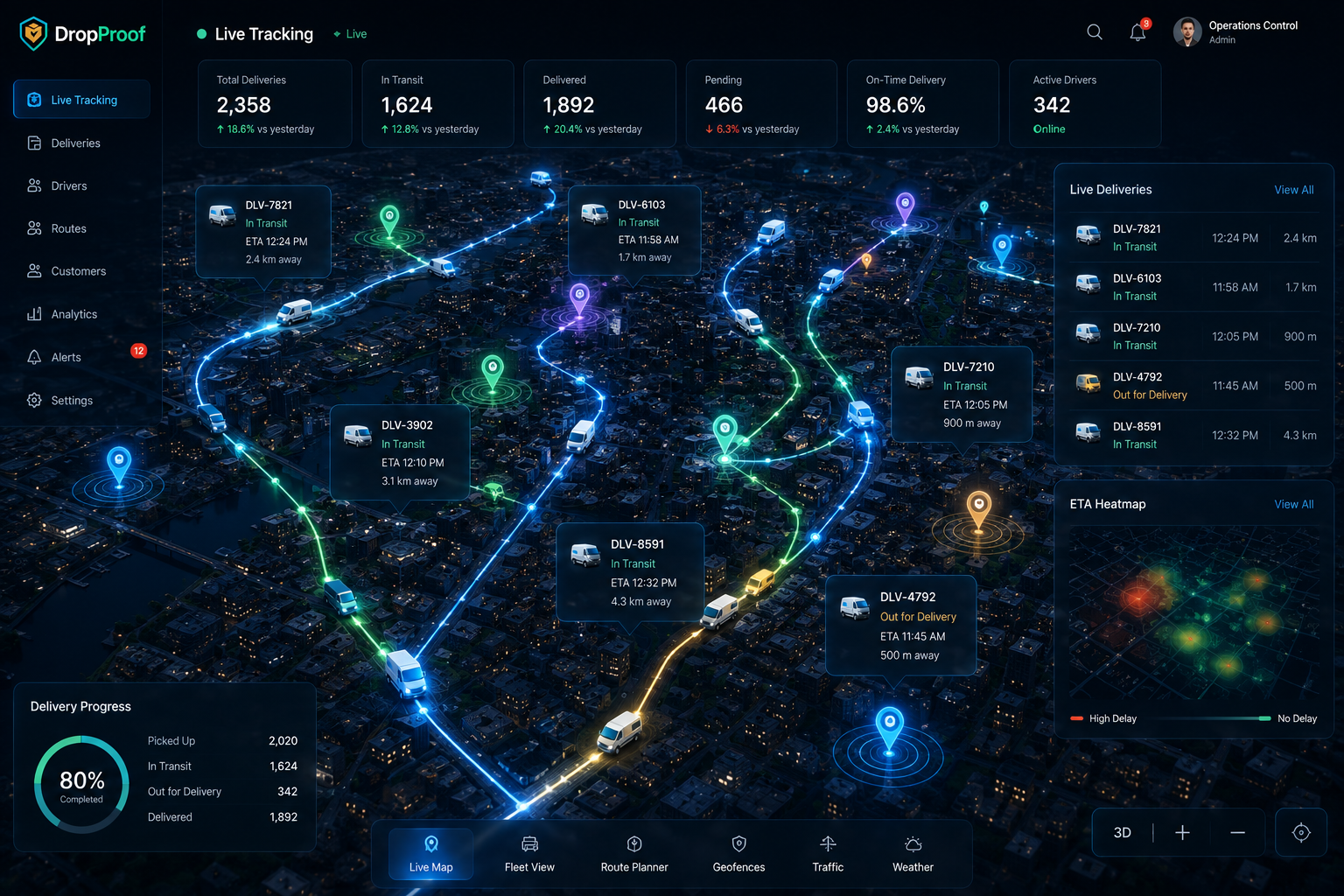
Monitor live drivers, delivery status, ETA visibility, active routes, trip information, delivery outcomes, and operational exceptions across organized teams and depots.
Digital proof of delivery
Supported photo proof, signatures, OTP verification, delivery confirmation, records, and historical information remain associated with the delivery workflow. Teams can review completion without separating evidence from the order.
Explore electronic proof of delivery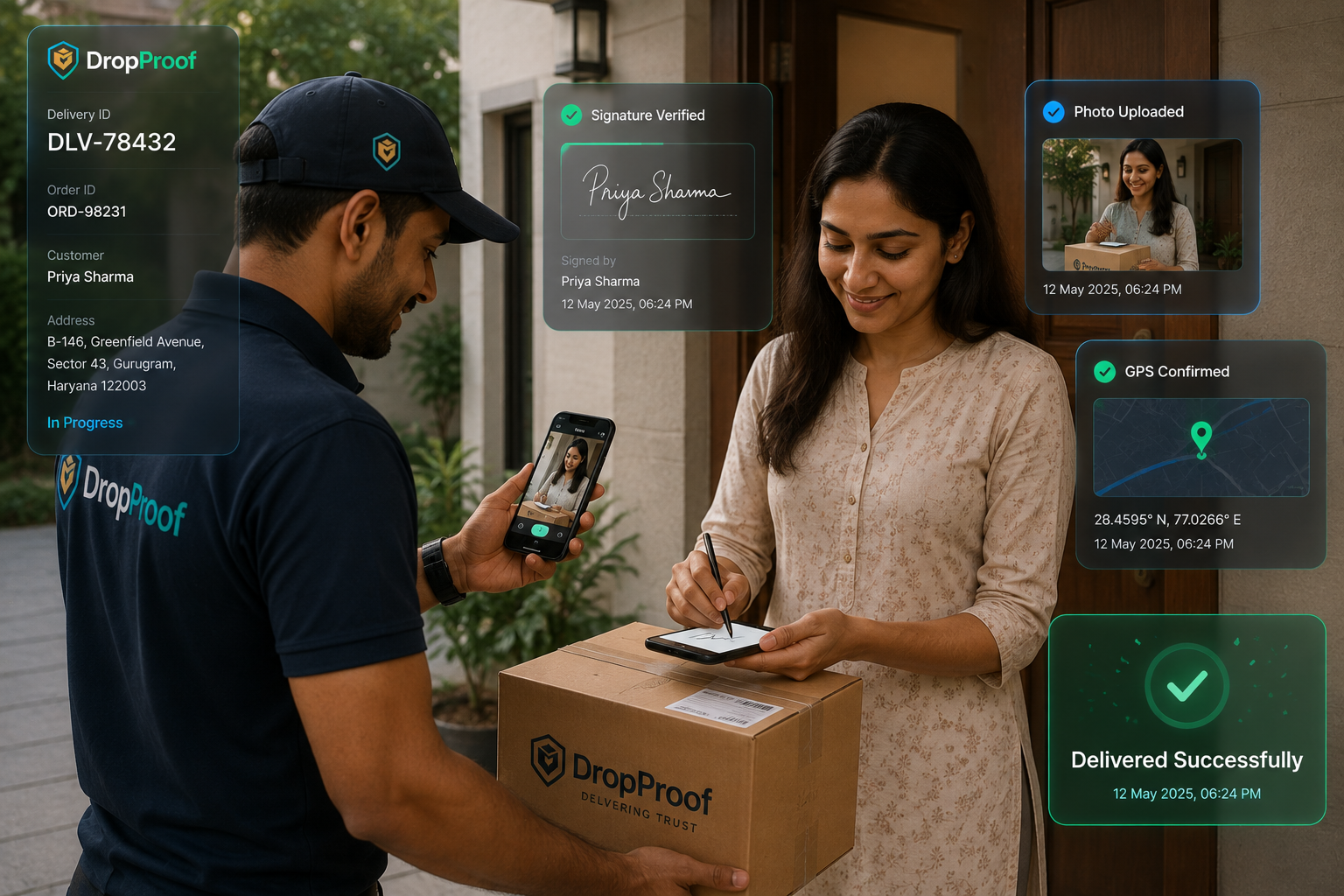

Analytics and reporting
Use current and historical information to understand what happened, compare operational performance, and improve future planning without relying on fabricated performance assumptions.
Review completion, punctuality, distance, and productivity.
Review stops, travel time, distance, exceptions, and delivery outcomes.
Build reports around operational KPIs.
Review previous delivery and operational activity.
Multi-team logistics
Local teams can work within their assigned depot, branch, or region while users, roles, permissions, and centralized visibility give management broader oversight.
Integrations
Connect supported ecommerce, ERP, WMS, CRM, accounting, communication, and operational workflows through direct APIs, events, available integrations, and specialized data flows.
Explore IntegrationsConnect applications directly to DropProof.
Receive supported operational change events.
Connect relevant supported business systems.
Support specialized data flows and mappings where available.
Delivery models
Manage drivers, deliveries, routes, tracking, and proof of delivery.
Courier managementConnect incoming orders with delivery execution.
Order and shipping managementCoordinate the final delivery stage with tracking and operational visibility.
Last-mile deliveryManage local operations with route planning and driver visibility.
Hyperlocal deliveryCoordinate teams and depots from a centralized platform.
Connected delivery operations
Logistics management requires more than seeing vehicles on a map. DropProof connects the operational workflow around each delivery.
DropProof connects planning, dispatch management, driver execution, tracking, confirmation, and operational reporting.
Common questions
Logistics management software connects the operational work required to move orders through planning, dispatch, driver execution, tracking, delivery confirmation, and reporting.
It helps teams organize orders, users, drivers, routes, delivery activity, proof of delivery, operational history, reporting, and integrations from a connected platform.
It keeps order details, driver assignments, route plans, live delivery status, confirmation, and operational records connected so teams can coordinate and respond from current information.
Yes. DropProof manages delivery orders from creation through completion, including configured order types, bulk updates, priorities, dates, assignments, and delivery windows.
Yes. DropProof supports driver management, the driver mobile workflow, teams, depots, users, roles, permissions, and delivery activity.
Yes. DropProof plans multi-stop delivery routes around delivery requirements, time slots, and operational constraints.
Yes. Live tracking shows active drivers and delivery progress, with delivery status and ETA visibility for operations teams.
Yes. DropProof supports delivery confirmation and configured electronic proof including photos, signatures, OTP verification, timestamps, and available location information.
Yes. Operations can be organized across teams, depots, branches, and regions while management retains centralized visibility.
DropProof supports REST APIs, webhooks, external integrations, and custom synchronization for connecting supported ERP, WMS, ecommerce, CRM, accounting, communication, and operational workflows.
Yes. Driver statistics, trip summaries, custom reports, delivery outcomes, exceptions, and historical data support operational review and future planning.
Bring orders, dispatch, drivers, routes, tracking, delivery confirmation, and analytics together in one connected platform.
We use cookies to improve your browsing experience, understand site traffic, and provide relevant content. You decide which optional cookies we may use.
Your necessary cookies are always active so the website can work properly.