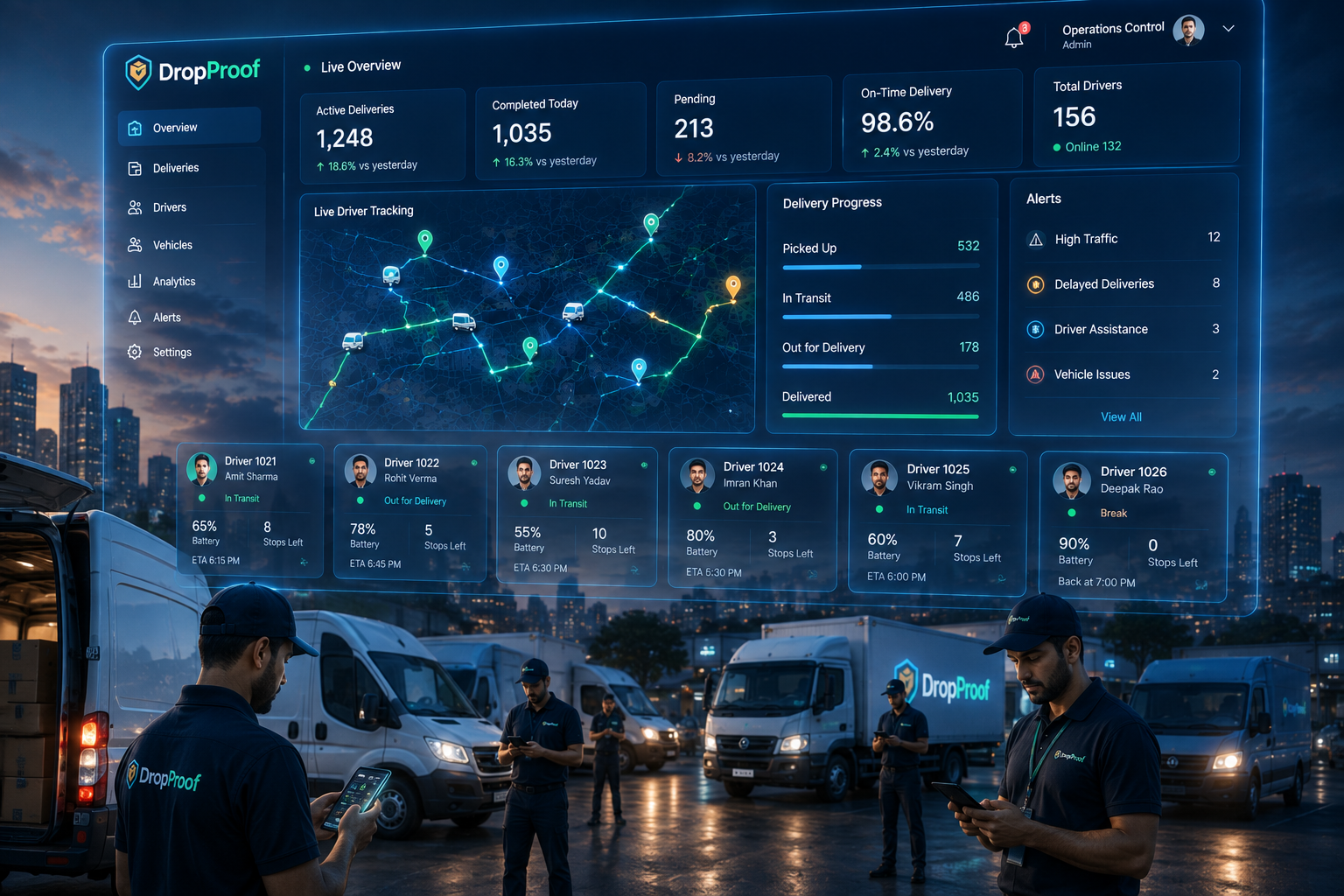
Order Management
View and manage delivery orders from a centralized operational workflow.
Delivery dispatch control center
Give dispatchers one place to organize orders, assign delivery work, coordinate drivers, monitor active deliveries, and respond when plans change.

The dispatch problem
Dispatch plans must balance order volume, driver capacity, time windows, priorities, route conditions, and constant changes. Disconnected tools turn every adjustment into another round of calls and manual updates.
Central dispatch workspace
Connect order intake, assignment, route planning, scheduling, live execution, and operational changes.
View and manage delivery orders from a centralized operational workflow.
Update orders, assignments, dates, priorities, and delivery windows efficiently.
Manage available drivers and their delivery activity.
Assign delivery work to appropriate drivers.
Plan efficient delivery routes around operational requirements.
Coordinate deliveries around promised windows and operating hours.
Monitor active drivers and delivery progress on a live map.
See expected arrival times as deliveries progress.
Adjust assignments and routes when priorities or delivery conditions change.
Dispatch workflow
Bring delivery orders into DropProof.
Review delivery requirements, priorities, and time windows.
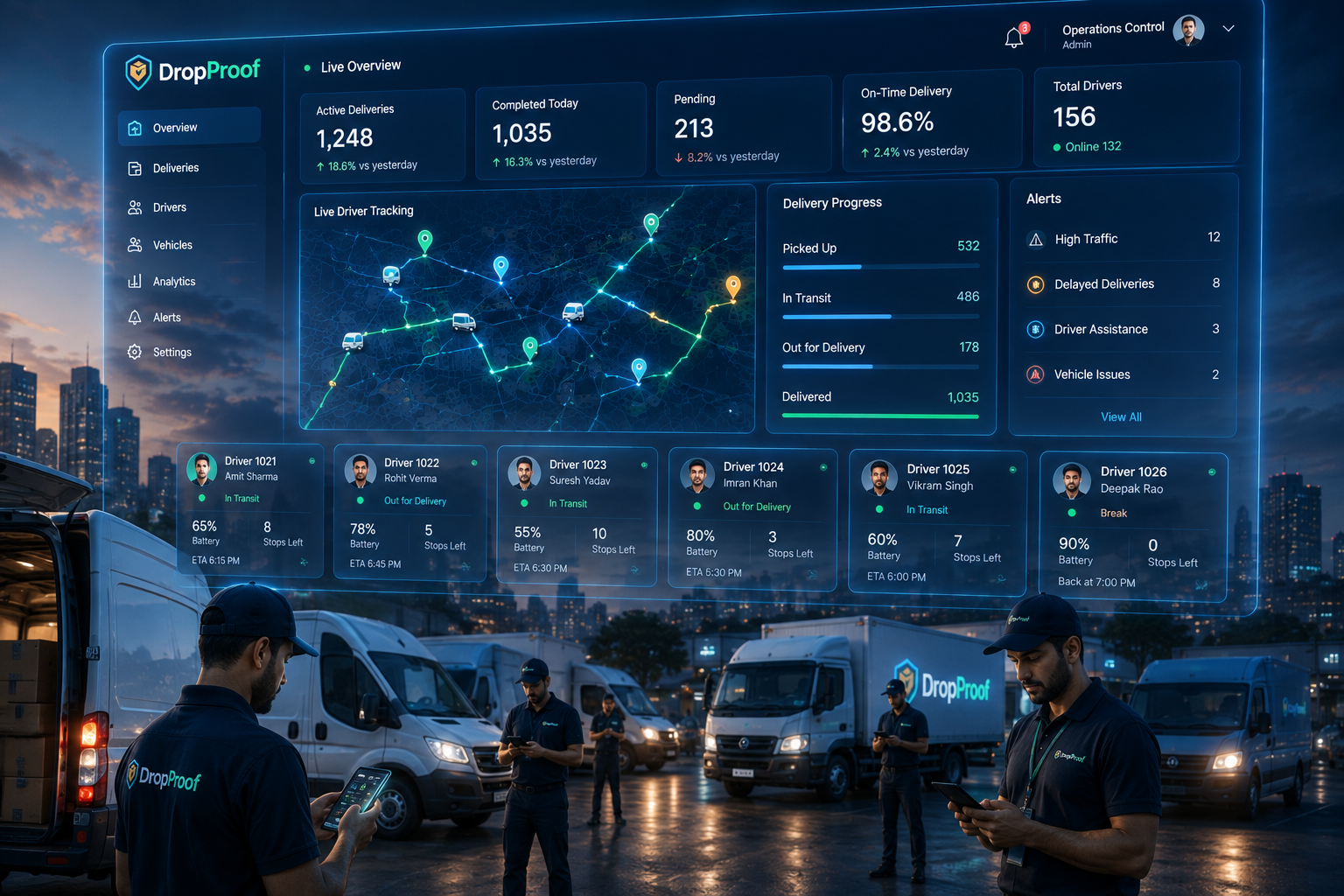
Assign delivery work to available drivers.
Organize delivery sequences and routes.
Track drivers and delivery progress in real time.
Reassign work or update routes when conditions change.
Orders → Prioritize → Assign → Route → Track → Adjust
Order dispatch
Keep order information, priorities, dates, delivery windows, assignments, and current status accessible from one operational workflow.
Keep delivery information accessible from one operational view.
Update multiple orders without repeating the same action individually.
Manage delivery priorities as operational requirements change.
Coordinate orders around available delivery slots.
Keep operational information synchronized.
Driver assignment
Dispatchers can consider driver availability, current workload, delivery locations, time slots, and route requirements when assigning work, then reassign deliveries as conditions change.
AI-assisted dispatch supports delivery assignment within the workflow while dispatchers retain visibility and control over decisions and changes.
Route and schedule coordination
Connect route optimization, time slots, driver schedules, operating hours, stop sequences, priorities, and route changes with active dispatch execution.
Orders → Schedule → Route → Driver → Delivery
Explore route optimization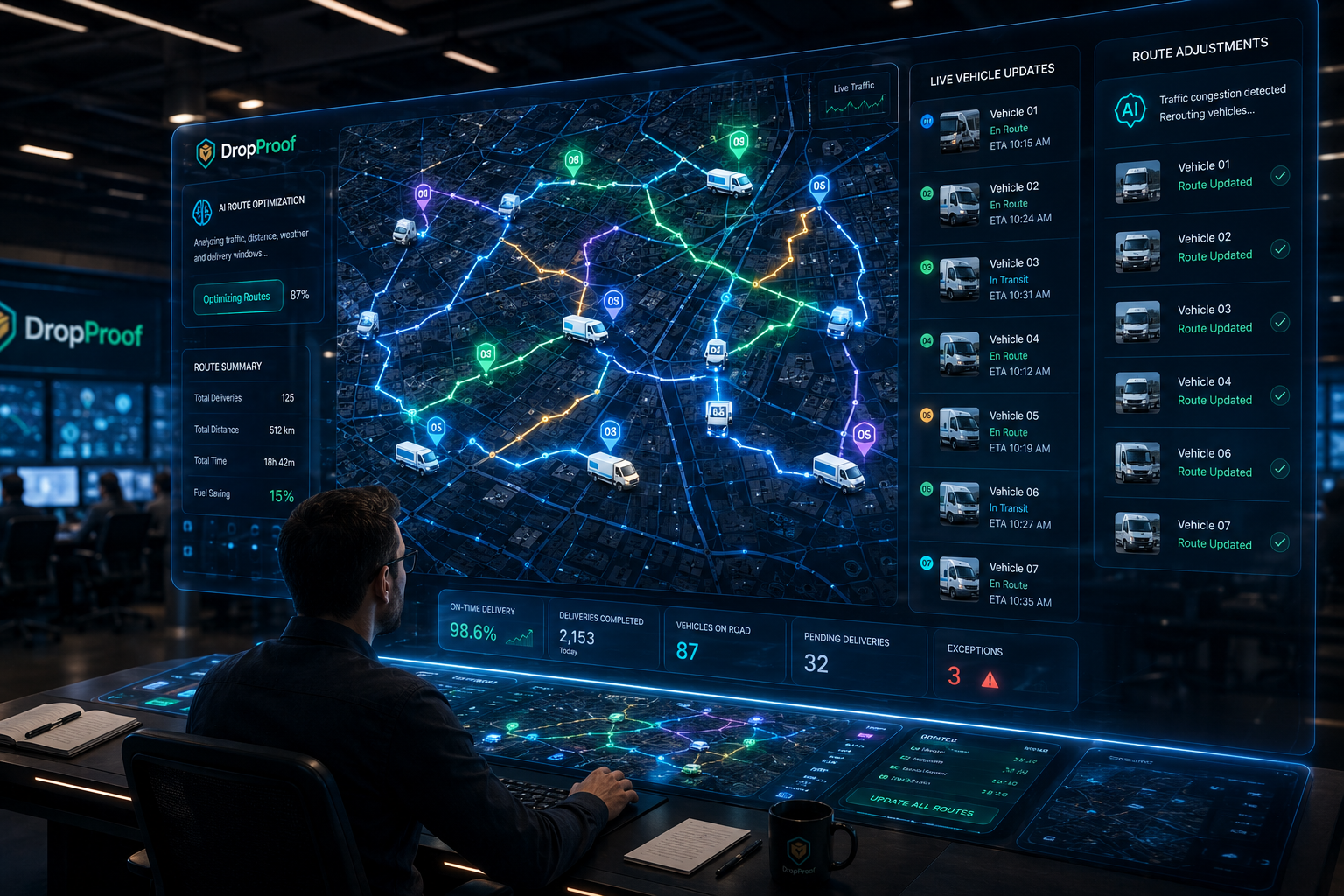
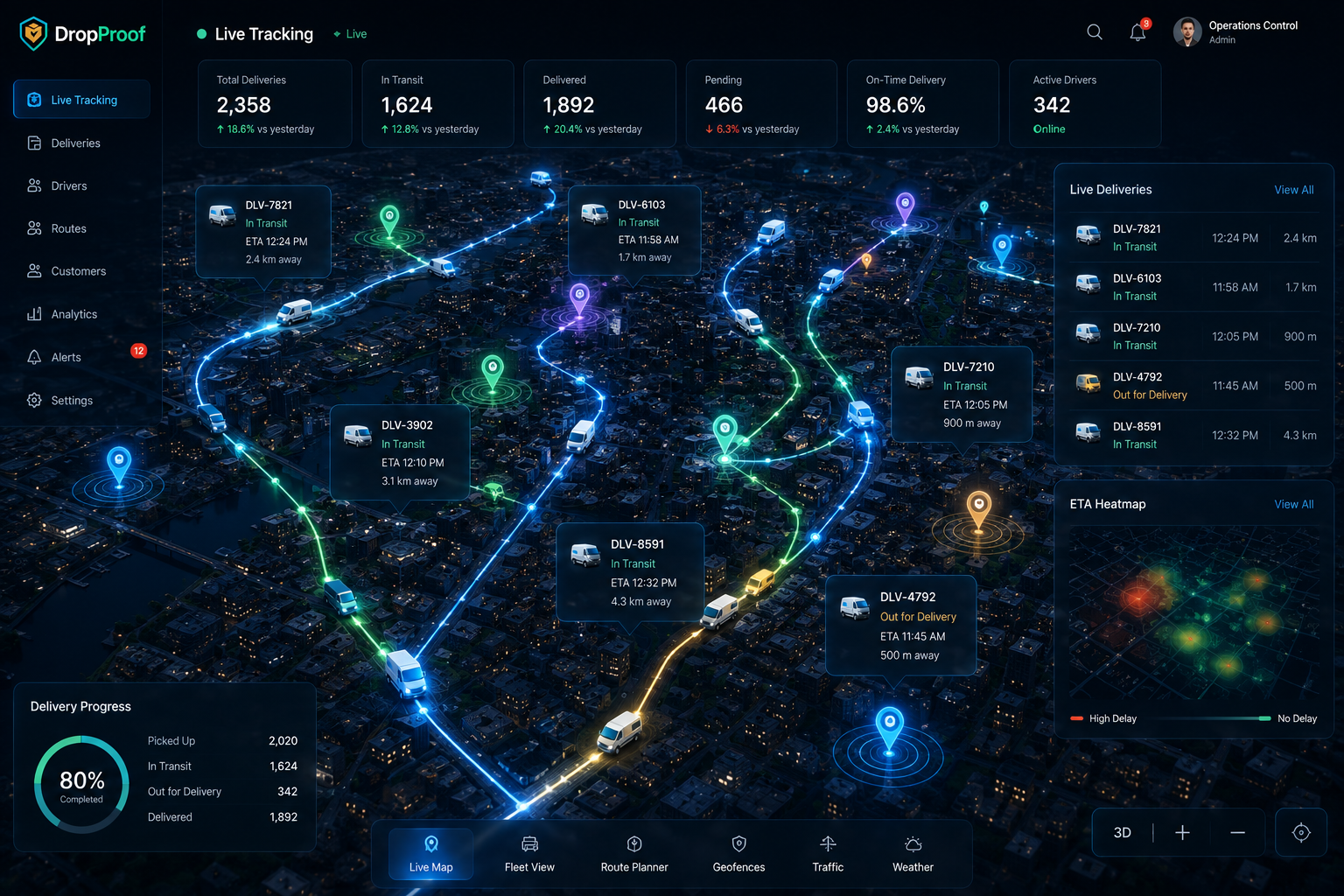
Live dispatch visibility
Dispatchers do not have to wait until the end of the day to understand what happened. Live tracking, status, ETAs, active routes, and exceptions show what is being executed and what needs attention.
Monitor active drivers on a live map.
Understand the current state of deliveries.
See expected arrival times.
See what drivers are currently executing.
Identify situations requiring dispatch attention.
Dynamic dispatch
Operational changes still need dispatcher judgment. DropProof keeps the information and controls needed to respond in one connected workflow.
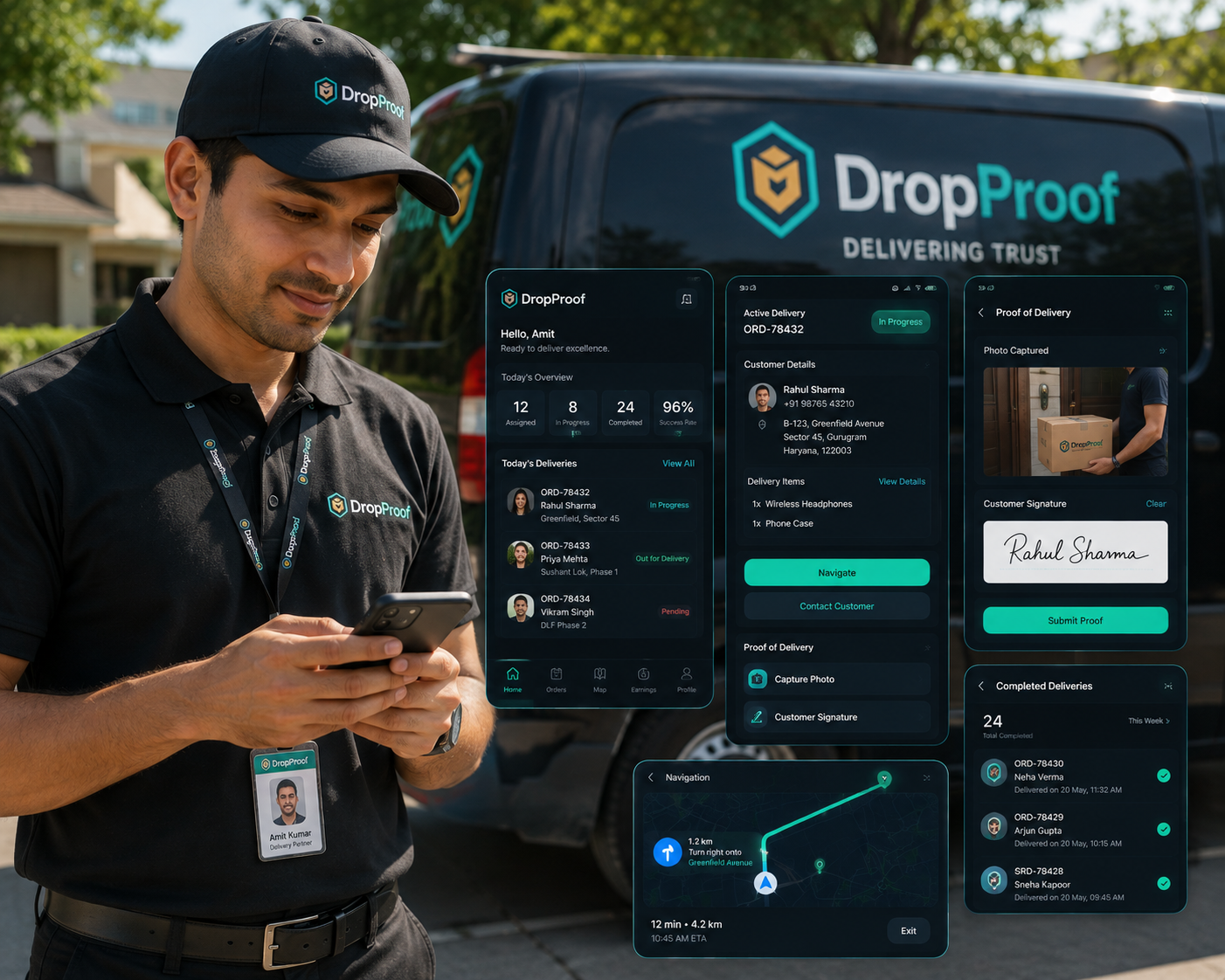
Driver communication and execution
Assigned deliveries move from the dispatcher dashboard into the driver mobile workflow. Drivers use navigation, update delivery status, confirm completion, record COD, and capture supported proof of delivery.
Dispatcher Dashboard ↔ Driver Mobile App

Dispatch performance
Use current and historical data to identify recurring delays, workload issues, route exceptions, and delivery patterns that can inform future dispatch planning.
Review completion, punctuality, distance, and productivity.
Review stops, travel time, distance, exceptions, and outcomes.
Create reports around operational KPIs.
Review previous delivery activity and recurring issues.
Multi-team dispatch
Structure dispatch across teams, depots, branches, and regions while user management, roles, permissions, and centralized visibility support broader operational oversight.
Dispatch use cases
Assign and monitor delivery work across courier drivers.
Courier managementCoordinate daily orders, drivers, routes, and tracking.
Last-mile deliveryTurn incoming orders into organized delivery assignments.
Order and shipping managementCoordinate short-distance and time-sensitive deliveries.
Hyperlocal deliveryCoordinate dispatch across multiple teams and locations.
Logistics managementIntegrations
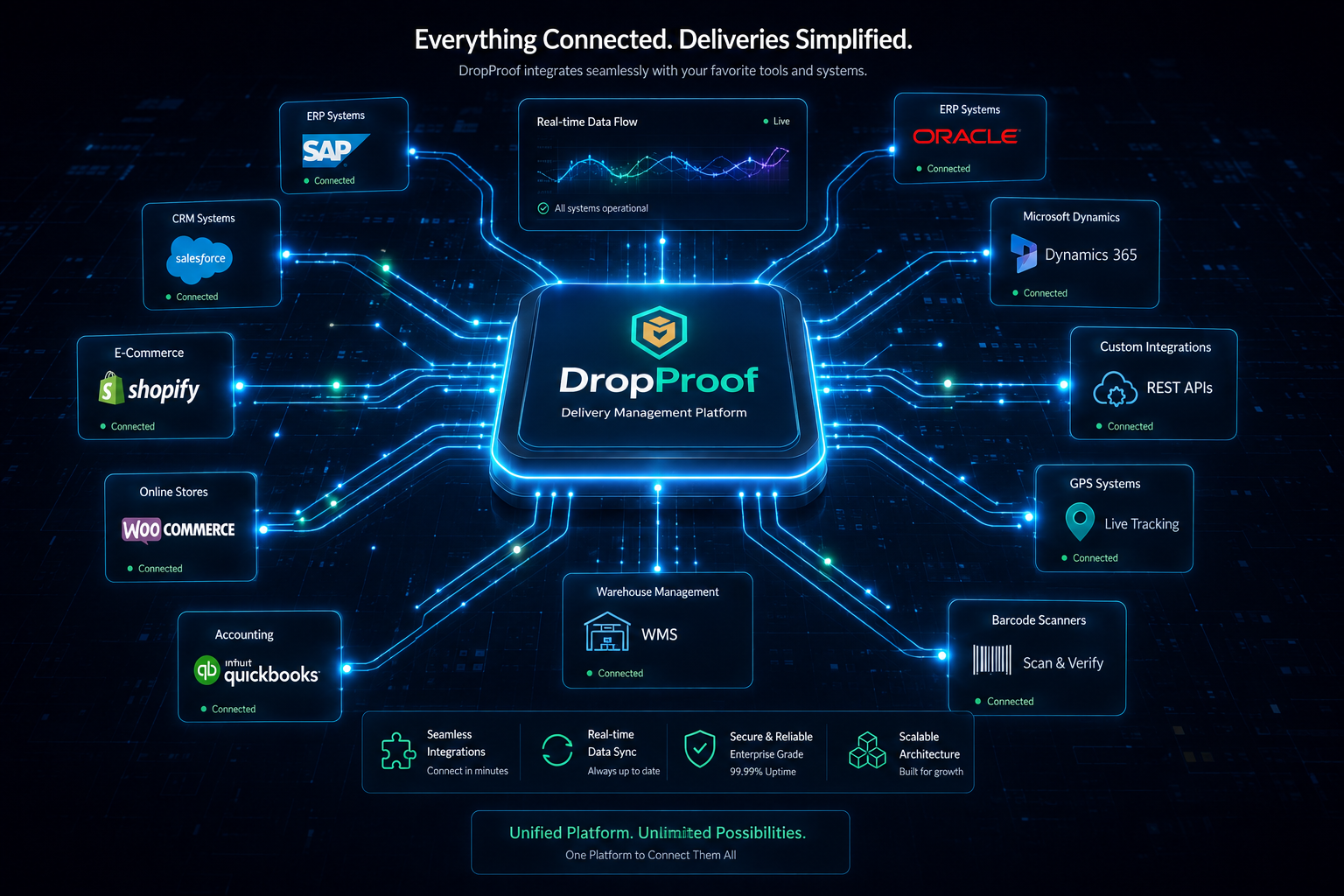
Connect supported ecommerce, ERP, WMS, CRM, accounting, communication, and logistics workflows through APIs, events, integrations, and specialized synchronization.
Explore IntegrationsConnect external applications with DropProof.
Receive supported operational events.
Connect relevant supported systems.
Support specialized data flows where available.
Connected dispatch
Effective dispatch requires more than assigning a driver. DropProof connects dispatch decisions to the rest of the delivery operation.
Dispatch remains connected to logistics management, live tracking, driver execution, and electronic proof of delivery.
Common questions
Dispatch management software helps delivery teams organize orders, priorities, driver assignments, routes, active execution, operational changes, and completion from a connected workspace.
A delivery dispatch system turns incoming orders into organized driver work. It helps dispatchers review requirements, assign drivers, plan routes, track delivery execution, and adjust work when conditions change.
It gives dispatchers a shared operational view of orders, drivers, assignments, schedules, routes, live status, ETAs, exceptions, and delivery outcomes.
Yes. Dispatchers can assign delivery work to drivers and reassign it when priorities or operating conditions change.
Yes. DropProof supports centralized order management and bulk editing for assignments, dates, priorities, delivery windows, and other supported order information.
Yes. Live GPS tracking shows active drivers and delivery progress, with delivery status and ETA visibility.
Yes. DropProof supports multi-stop route planning and optimization around delivery requirements, schedules, and operational constraints.
Yes. Dispatchers can reassign work and update routes when urgent orders, delays, exceptions, or priorities change.
Yes. Time slots and scheduling help teams coordinate deliveries around customer windows, driver schedules, and operating hours.
Yes. DropProof supports teams, depots, branches, regions, users, roles, permissions, and centralized operational visibility.
Yes. DropProof supports REST APIs, webhooks, external integrations, and custom synchronization for supported operational data flows.
DropProof includes AI-assisted dispatch capabilities that support delivery assignment within the operational workflow. Dispatchers retain visibility and control over assignments and changes; it should not be treated as fully autonomous dispatch.
Plan, assign, track, and adjust delivery operations from one connected dispatch platform.
We use cookies to improve your browsing experience, understand site traffic, and provide relevant content. You decide which optional cookies we may use.
Your necessary cookies are always active so the website can work properly.