Live GPS Tracking
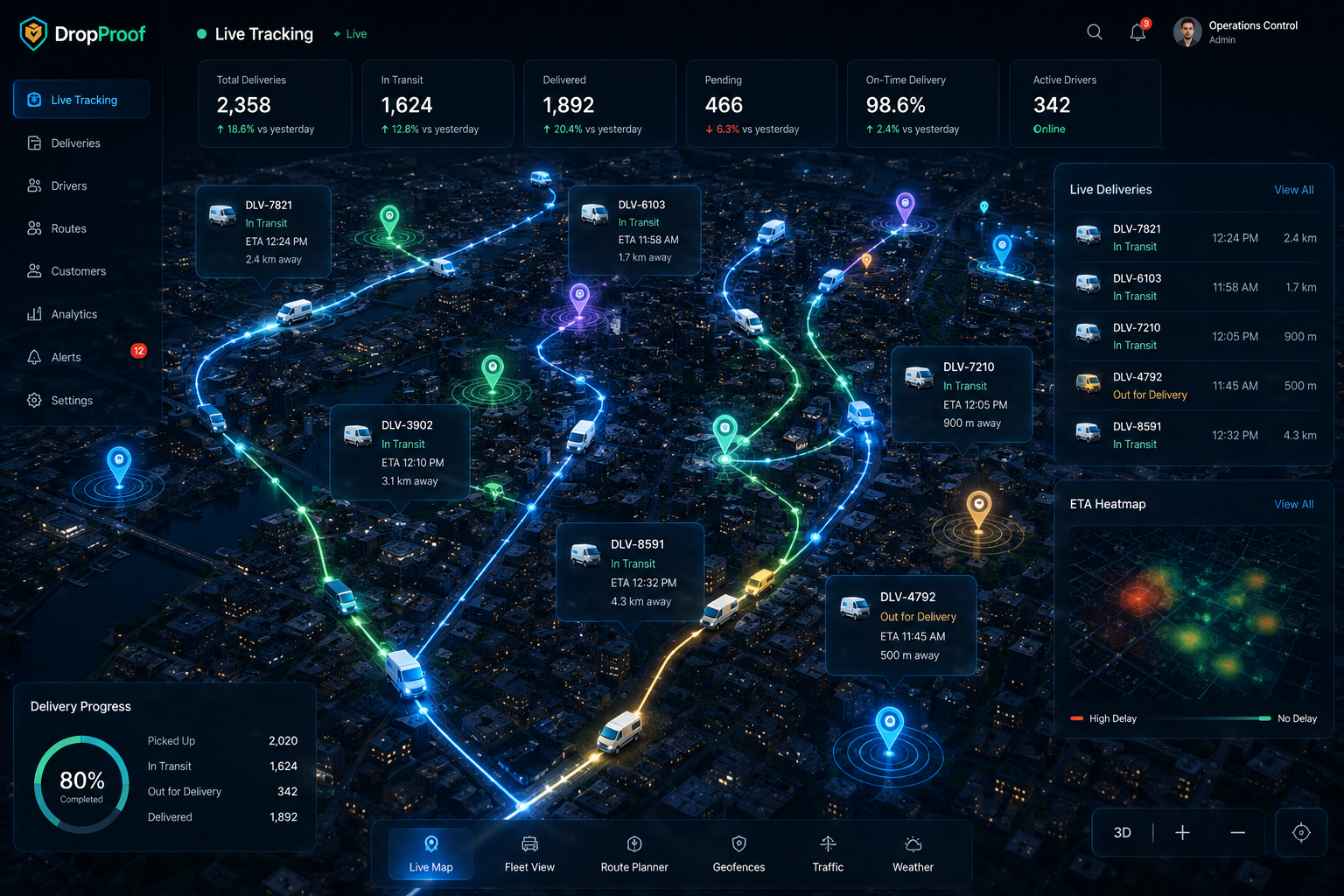
Monitor active drivers and delivery activity on a live map.
Real-time delivery visibility
Know where your drivers and deliveries are, monitor delivery progress, and see expected arrival times from one connected delivery tracking platform.
The visibility gap
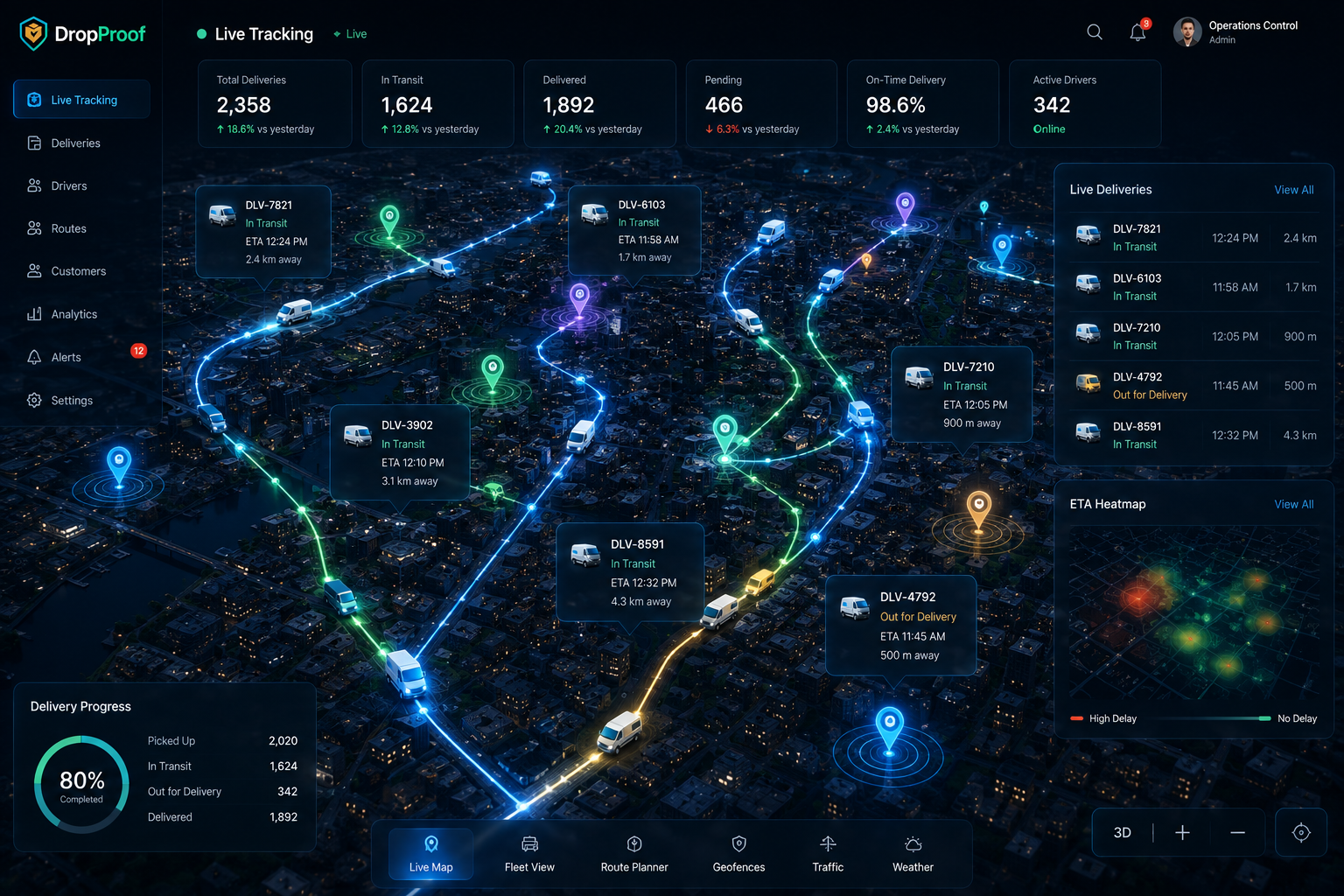
Without current delivery visibility, dispatchers and support teams spend the day asking drivers for updates instead of responding from shared operational information.
Live operations
Bring driver location, routes, delivery status, ETA information, and trip context into one operational view.
Monitor active drivers and delivery activity on a live map.
See where deliveries are in the operational workflow.
Monitor expected arrival times as deliveries progress.
Understand the routes and stops being executed.
See active drivers and their delivery activity.
Review stops, travel time, distance, exceptions, and delivery outcomes.
Tracking workflow
Delivery orders are brought into DropProof.
Orders are organized and routes are planned.
Drivers execute assigned work through the mobile experience.
Operations teams monitor active delivery activity.
Teams see expected arrival information and delivery progress.
Delivery status and available proof are recorded.
Orders → Plan → Dispatch → Track → ETA → Complete
Live driver tracking
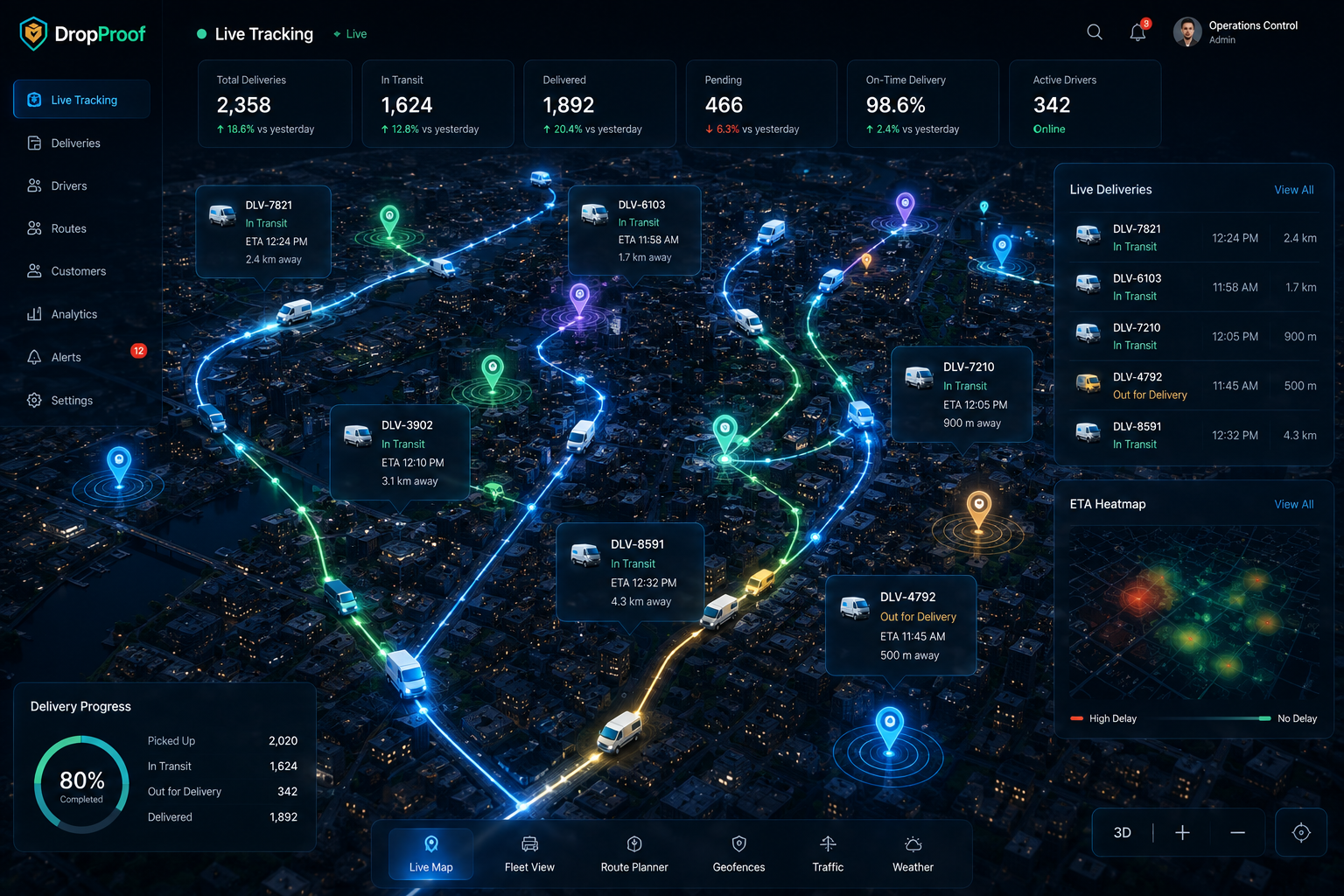
See active driver locations, current delivery activity, route visibility, delivery progress, and ETA information. This gives dispatchers a current operational picture without making unsupported claims about exact location-update frequency.
Delivery status
Status visibility helps teams understand which deliveries are pending, assigned, active, completed, or moving through supported exception workflows. The operational view reflects configured product status rather than inventing a separate tracking vocabulary.
ETA visibility
Expected arrival information gives teams context around delivery progress, route execution, customer communication, and dispatcher planning. ETAs provide operational visibility and help teams respond when conditions change, but they are not a guarantee.
Route progress, active work, and current delivery information in one view.
Dispatcher visibility
Dispatchers can monitor active drivers, identify delays, review route progress, check status, respond to operational changes, and understand the current delivery workload before the day is over.
Explore dispatch management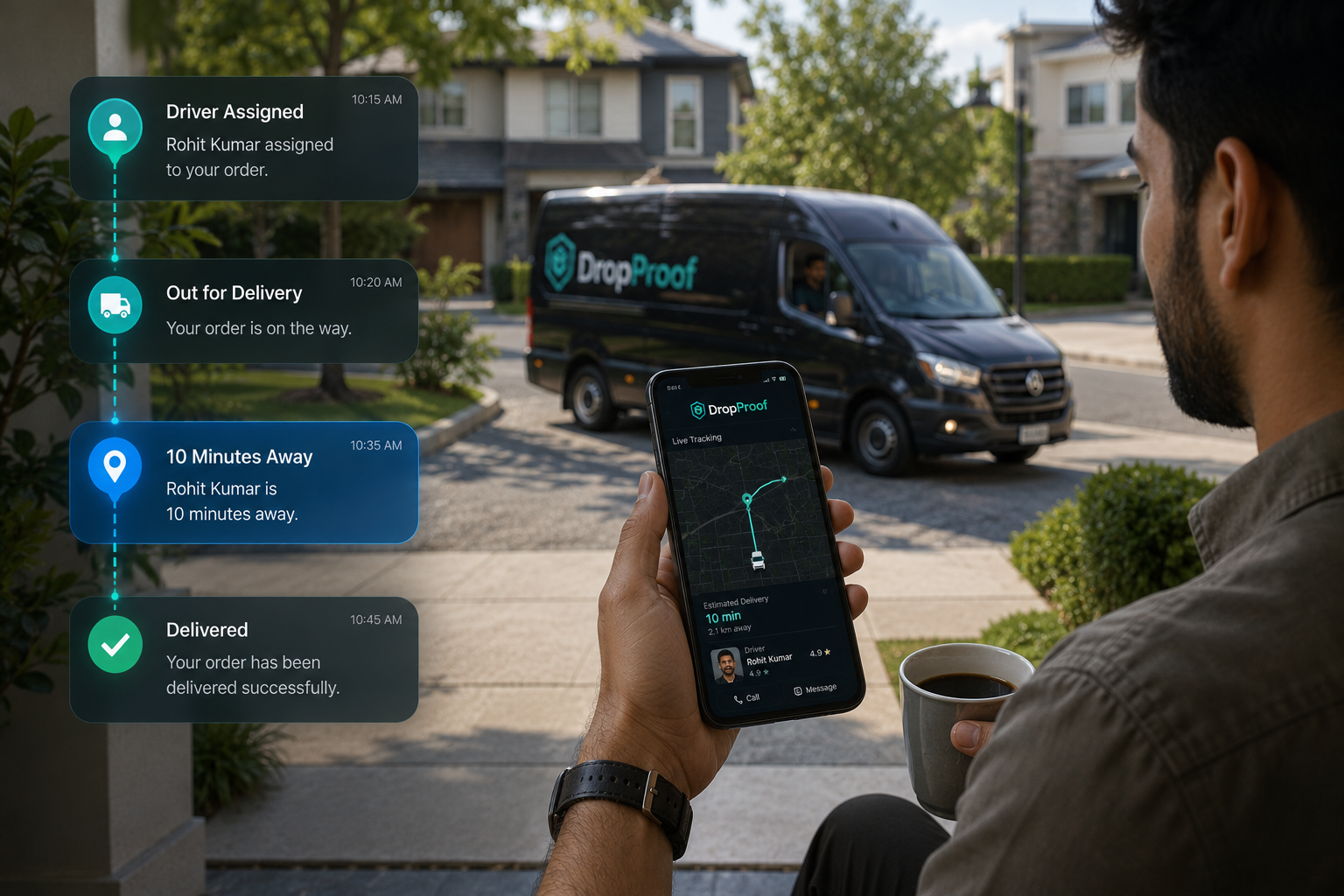
Customer communication
Configured customer notifications and status updates help communicate delivery progress. Operations and customer support teams can also use current delivery status and ETA information to answer questions. This page does not claim a public live-driver tracking portal or unsupported SMS, WhatsApp, or tracking-link functionality.
Connected route execution
Tracking is not isolated from the work that created the route and assigned the driver.
Connect visibility with route optimization and the broader delivery management workflow.

History and delivery data
After a route is complete, historical tracking information helps teams identify recurring issues and improve future planning without inventing analytics that the platform does not provide.
Review stops, travel time, distance, exceptions, and delivery outcomes.
Review previous delivery and operational activity.
Analyze completion, punctuality, distance, and productivity.
Create reports around operational KPIs.
Delivery exceptions
Live visibility gives dispatchers information for operational decisions when drivers or deliveries are delayed, routes or priorities change, work is reassigned, or supported exception deliveries occur. DropProof provides visibility and adjustment tools; it does not claim to resolve every exception automatically.
Tracking use cases
Track active courier operations and delivery progress.
Courier managementMonitor execution after orders enter the delivery workflow.
Order and shipping managementMaintain visibility across drivers, routes, and final-mile deliveries.
Last-mile deliveryTrack time-sensitive local deliveries.
Hyperlocal deliveryMonitor delivery activity across supported teams and depots.
Logistics managementIntegrations
Connect supported delivery and operational data through REST APIs, webhooks, external integrations, and custom synchronization.
Explore IntegrationsConnect applications directly with DropProof.
Receive supported delivery and operational events.
Connect relevant supported business systems.
Support specialized operational data flows where available.
Connected delivery visibility
A tracking map tells you where a driver is. DropProof connects that visibility to the delivery workflow around the driver.
Delivery visibility remains connected to route execution, dispatch, completion, electronic proof of delivery, and operational history.
Common questions
Delivery tracking software gives operations teams visibility into active drivers, routes, delivery status, progress, and expected arrival information from dispatch through completion.
Shipment tracking often describes milestone updates as goods move through a network. Delivery tracking focuses on the active delivery stage, including driver activity, routes, status, ETA visibility, and completion.
Yes. DropProof provides live GPS tracking for active drivers and delivery activity. Location update behavior depends on the configured driver workflow and available device data.
Yes. Operations teams can see delivery status as orders move through assignment, active execution, completion, and supported exception workflows.
Yes. DropProof provides expected arrival information as deliveries progress. ETA information supports operational planning but should not be treated as a guarantee.
Yes. Dispatchers can monitor active drivers, route progress, delivery status, ETA information, and situations that may require attention.
Yes. The live operational view supports monitoring multiple active drivers and their delivery activity.
Yes. DropProof connects route planning and driver assignment with route execution, live tracking, ETA visibility, and delivery completion.
Yes. Trip summaries, historical activity, driver statistics, and custom reports help teams review what happened after a route is completed.
Yes. Courier operations can use DropProof to monitor drivers, routes, delivery progress, ETA information, completion, and proof of delivery.
Yes. DropProof supports REST APIs, webhooks, external integrations, and custom synchronization for supported logistics and delivery data flows.
DropProof supports customer notifications and delivery-status communication within configured workflows. This page does not claim a public live-driver tracking portal; operations and customer support teams can use current delivery information to answer status questions.
Track drivers, monitor delivery progress, understand ETAs, and keep your delivery operation visible from dispatch to completion.
We use cookies to improve your browsing experience, understand site traffic, and provide relevant content. You decide which optional cookies we may use.
Your necessary cookies are always active so the website can work properly.