
Order Management
Manage delivery orders from creation through completion.
Complete delivery workflow
Manage deliveries from order to doorstep with one connected platform. DropProof brings order management, driver coordination, route planning, live tracking, delivery confirmation, proof of delivery, and reporting together in one place.
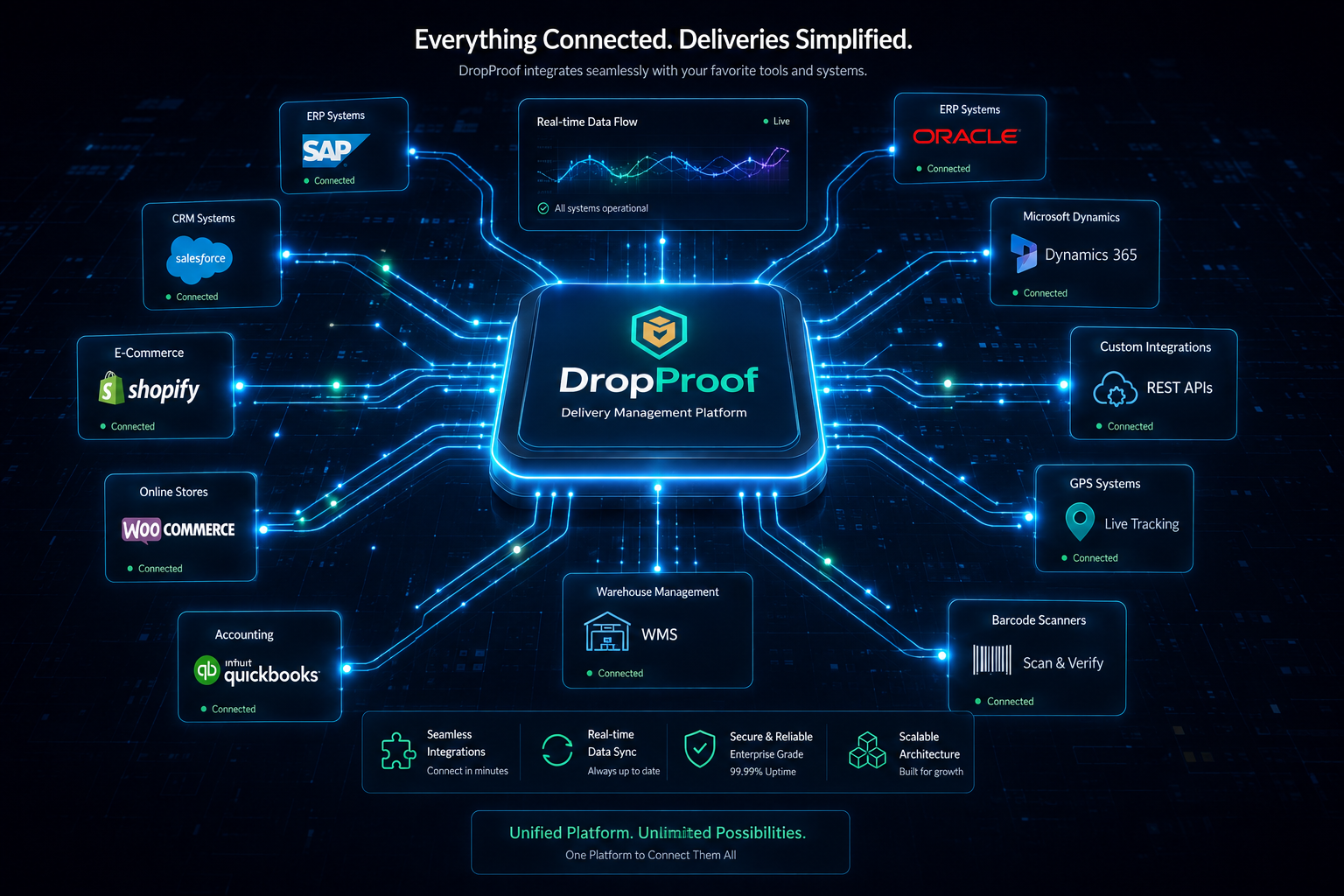
The operational gap
Every disconnected handoff between order intake, planning, drivers, tracking, confirmation, and reporting makes daily delivery work harder to coordinate.
One delivery platform
Manage delivery orders from creation through completion.
Support delivery, pickup, return, exchange, and other configured workflows.
Update orders, assignments, priorities, dates, and delivery windows efficiently.
Manage drivers and their delivery activity.
Support navigation, execution, status updates, COD, and proof of delivery.
Plan efficient routes around delivery requirements and operational constraints.
Coordinate deliveries around customer windows and operating hours.
Monitor active drivers and delivery progress.
Confirm completed deliveries through the driver workflow.
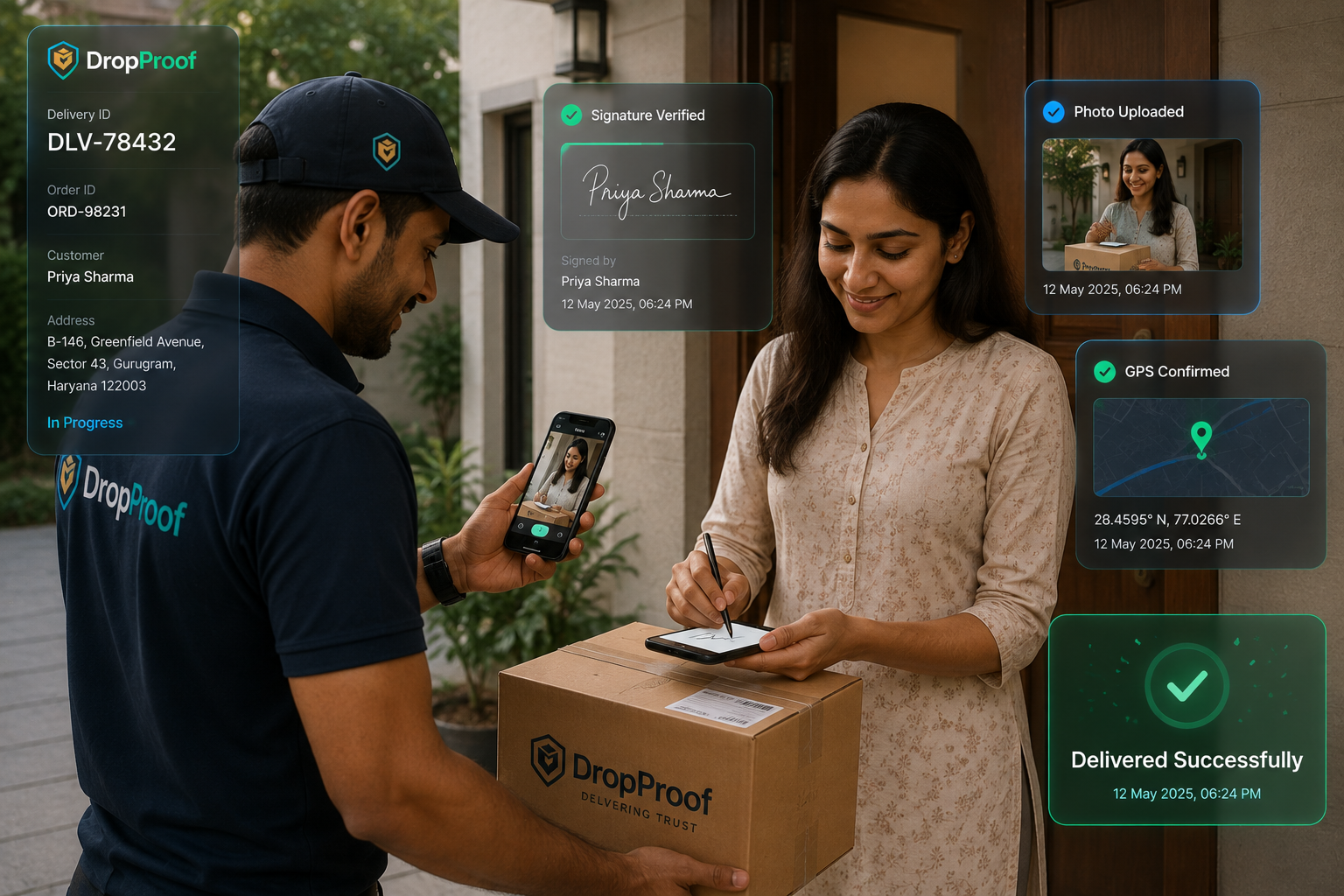
Capture supported photos, signatures, and OTP verification.
Review driver statistics, trips, outcomes, and historical information.
End-to-end workflow
Bring delivery orders into DropProof through available workflows and integrations.
Review locations, priorities, delivery windows, and configured information.
Organize orders and routes around operational requirements.
Assign delivery work to appropriate drivers.
Drivers navigate and complete deliveries from mobile.
Monitor delivery progress and confirm completed deliveries.
Store available proof and review operational performance.
Order management
Keep configured order types, priorities, dates, assignments, delivery windows, specialized records, and current delivery information inside one operational workflow.
Manage delivery orders from one operational workflow.
Support delivery, pickup, return, exchange, and other configured workflows.
Make changes across multiple orders without repeating individual updates.
Keep order and delivery information synchronized.
Support specialized fields and records where available.

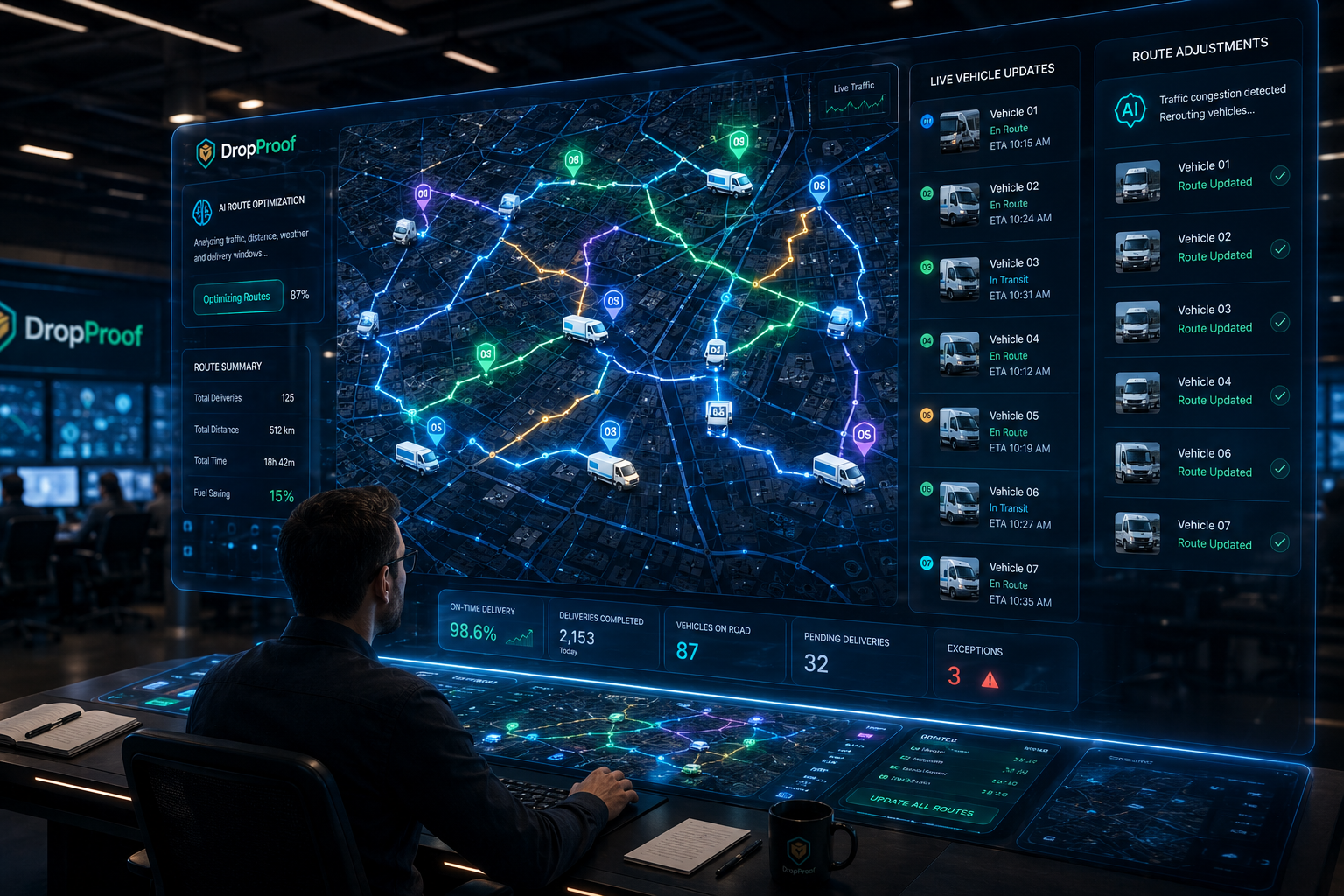
Planning and scheduling
Coordinate route optimization, delivery time slots, driver availability, operating hours, stop sequences, priorities, and scheduling before work reaches the road.
Orders → Schedule → Route → Driver
Explore route optimization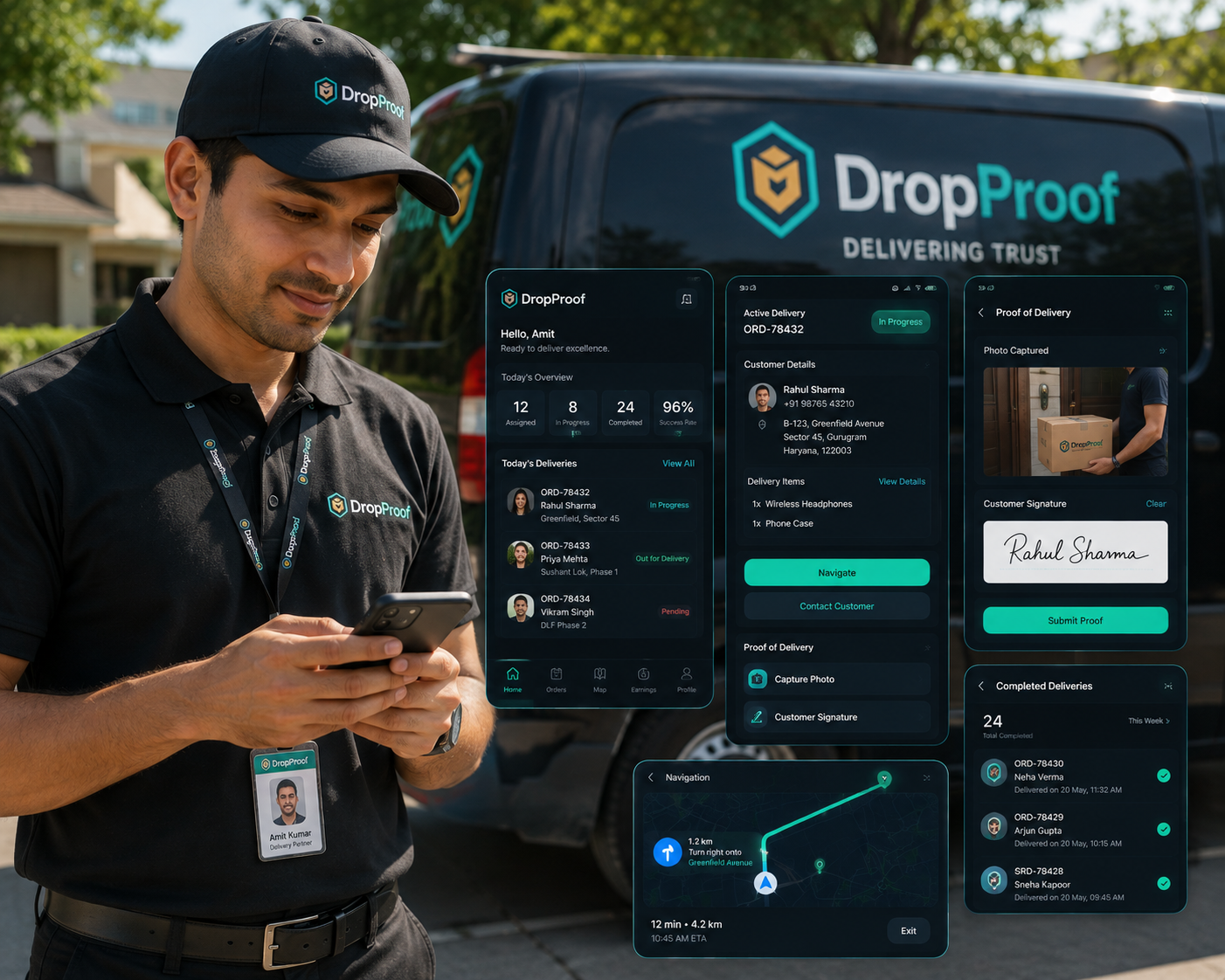
Driver delivery execution
Drivers access assigned deliveries from mobile, navigate planned stops, update status, record COD where applicable, confirm completion, and capture supported proof.
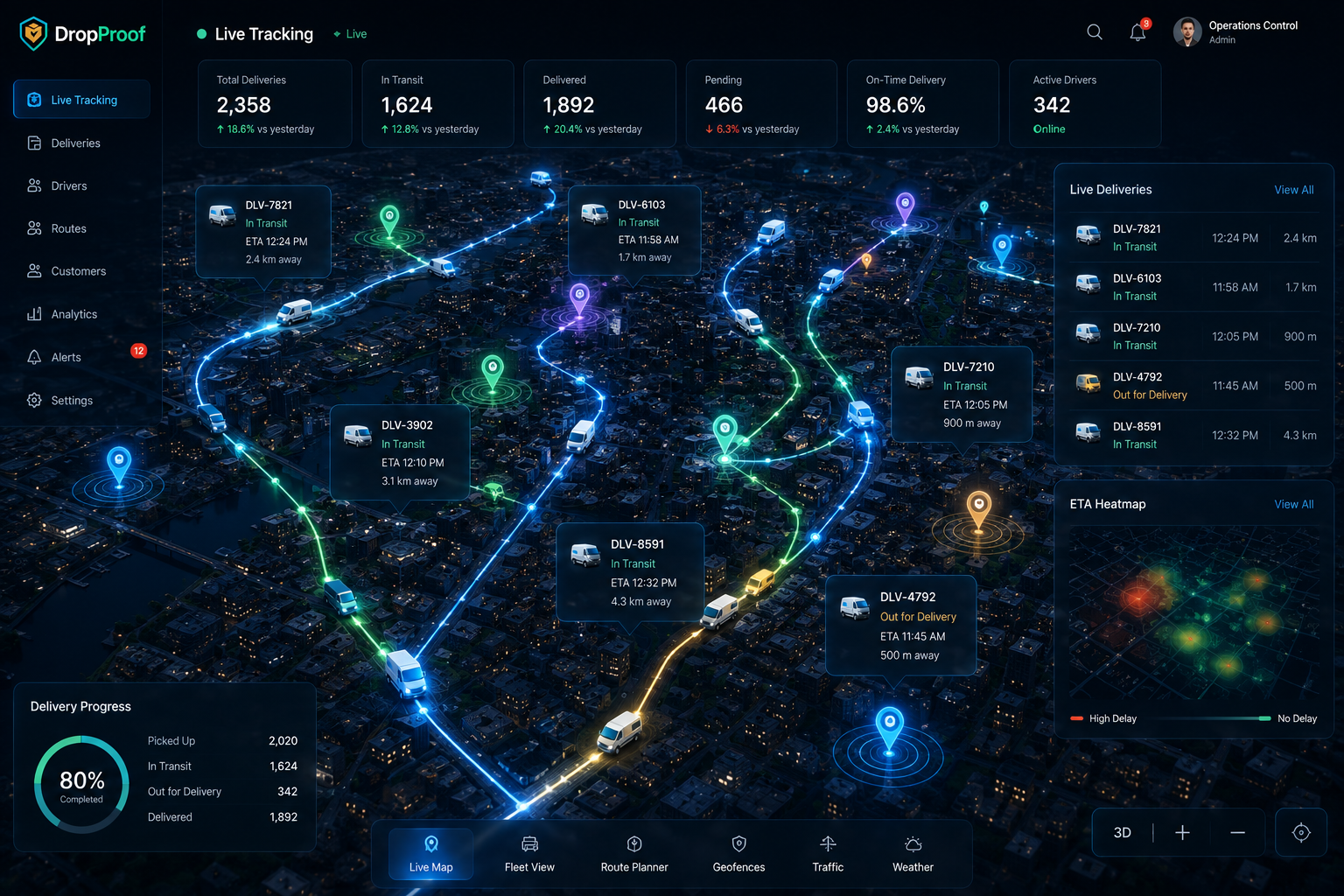
Live delivery tracking
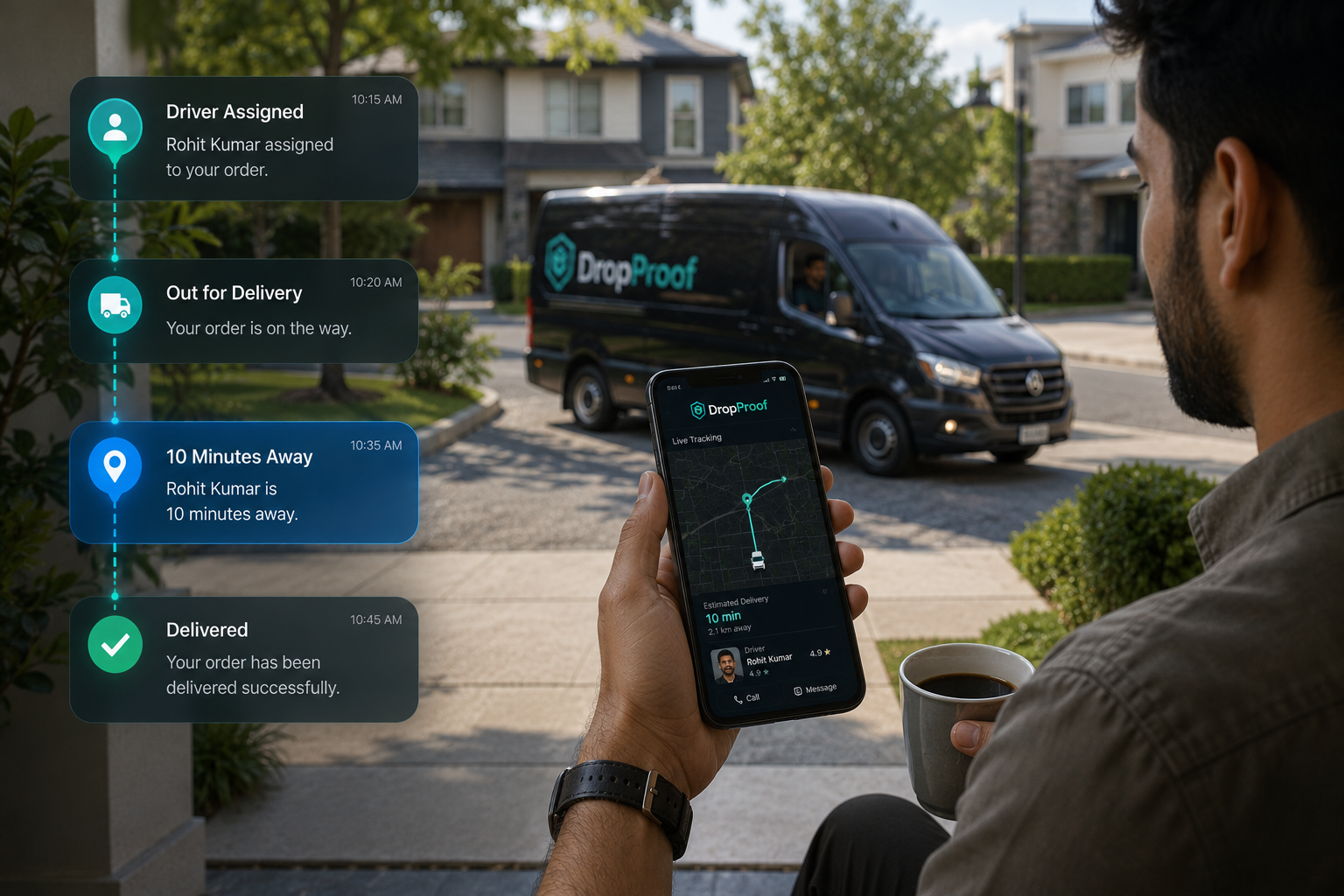
Monitor active drivers and deliveries on a live map.
See expected arrival times as deliveries progress.
Understand where deliveries are in the workflow.
Review routes, stops, travel time, and outcomes.
Operational changes
Urgent orders, driver delays, customer schedule changes, failed deliveries, priority changes, route adjustments, and reassignments all require current operational visibility.
DropProof gives operations teams the information and controls to respond; it does not claim to resolve every exception automatically. See how this connects with dispatch management.
Proof of delivery
Keep photo proof, customer signatures, OTP verification, delivery confirmation, timestamps, available location information, and digital delivery records connected to the order.
Explore electronic proof of deliveryCustomer visibility
Delivery status, ETA information, customer notifications, and delivery confirmation create a clearer communication flow without making unsupported claims about channels or customer portals.

Delivery analytics
Use current and historical operational data to identify recurring issues and improve future planning without relying on invented ROI claims.
Review completion, punctuality, distance, and productivity.
Review stops, travel time, distance, exceptions, and delivery outcomes.
Build reports around operational KPIs.
Review previous delivery activity and identify trends.
Delivery models
Manage orders from intake through final delivery.
Order and shipping managementCoordinate drivers, routes, tracking, and confirmation.
Courier managementManage final-mile operations with driver and delivery visibility.
Last-mile deliveryCoordinate local deliveries with scheduling and live tracking.
Hyperlocal deliveryManage delivery operations across teams and depots.
Logistics managementIntegrations
Connect supported ecommerce, ERP, WMS, CRM, accounting, communication, and operational workflows through REST APIs, webhooks, external integrations, and custom synchronization.
Explore IntegrationsConnected workflow
Delivery management covers the complete workflow, not only the location of a driver or order.
Common questions
Delivery management software connects orders, planning, driver assignment, route execution, live tracking, delivery confirmation, proof of delivery, and operational reporting.
It provides one operational workflow for organizing orders, schedules, drivers, routes, delivery status, evidence, and performance data.
It reduces disconnected operational handoffs by keeping current order, driver, route, tracking, confirmation, and reporting information together.
Yes. DropProof manages orders from creation through completion, including configured order types, priorities, dates, assignments, and delivery windows.
Yes. Dispatchers can assign delivery work to drivers and update assignments when conditions change.
Yes. DropProof supports multi-stop route planning around delivery requirements, time slots, and operational constraints.
Yes. Time slots and scheduling coordinate deliveries around customer windows, driver availability, and operating hours.
Yes. Live GPS tracking shows active drivers and delivery progress, with ETA and delivery status visibility.
Yes. Drivers use the mobile workflow for assigned deliveries, navigation, status, COD, confirmation, and supported proof capture.
Yes. Supported proof includes photos, customer signatures, OTP verification, timestamps, and available location information.
Yes. DropProof supports teams, depots, branches, users, roles, permissions, and centralized operational visibility.
Yes. DropProof supports REST APIs, webhooks, external integrations, and custom synchronization for supported workflows.
Manage orders, drivers, routes, tracking, delivery confirmation, and operational reporting from one connected platform.
We use cookies to improve your browsing experience, understand site traffic, and provide relevant content. You decide which optional cookies we may use.
Your necessary cookies are always active so the website can work properly.